How is Zeffy free?

How is Zeffy free?
Zeffy relies entirely on optional contributions from donors. At the payment confirmation step - we ask donors to leave an optional contribution to Zeffy.
Learn more >
We release new features every month to make fundraising faster and easier. Explore the latest updates to events, forms, email, and more.
.png)
October 16, 2026
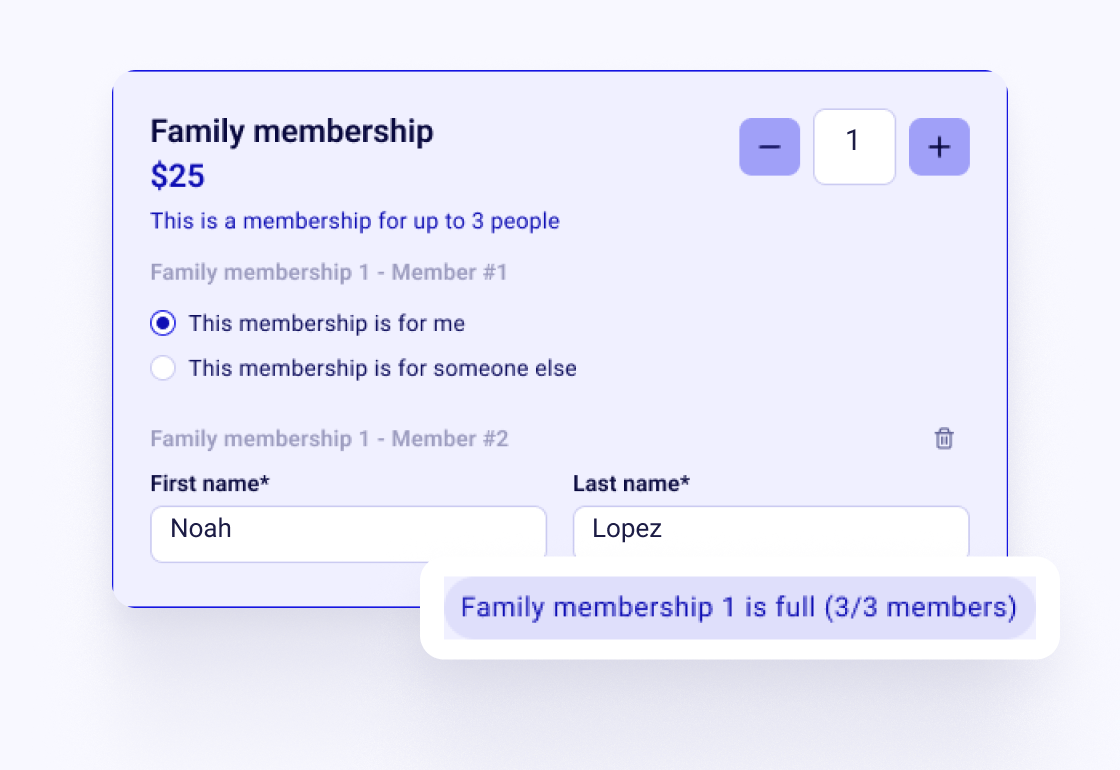
Family memberships used to mean a name in a custom question. Now each family member is on your member list.
Turn any tier into a family or group tier that covers up to the number of people you choose, at one price. Zeffy suggests it when your tier name looks like a family or a group.
The buyer adds each member's name. Every member becomes a contact in the same household, and you see who paid.
October 13, 2026

Not everyone wants every email. Now people can tell you what they want.
Add a communication preferences question to your donation, event, membership or sign-up forms. People tick the lists they want to join, like your newsletter or event invitations.
Each choice becomes a contact list that fills itself, so your next email goes to the people who asked for it.
October 13, 2026
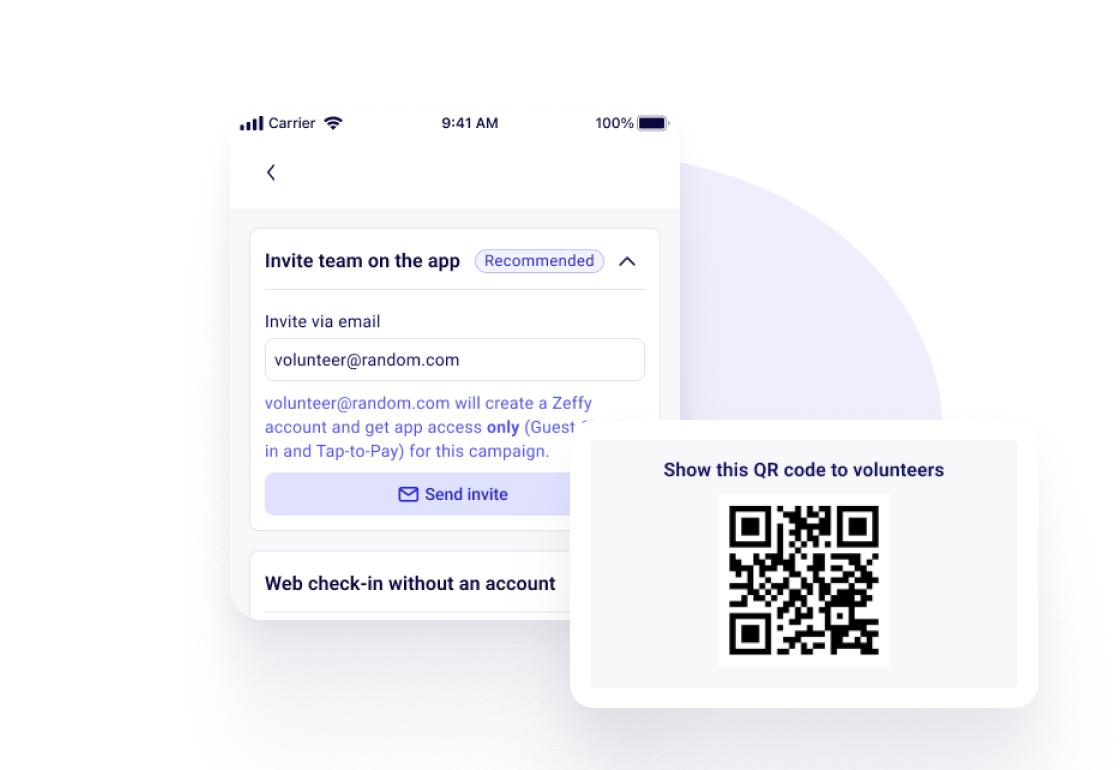
Volunteers run the door at most events. Now you can set them up in a minute.
In the Zeffy app, tap Volunteer access on your event's check-in screen and invite them by email. They get the app for that event only: check-in and Tap to Pay, nothing else on your account.
No app for them? Share with volunteers shows a QR code that opens the web check-in page on any phone, no account needed.
October 13, 2026
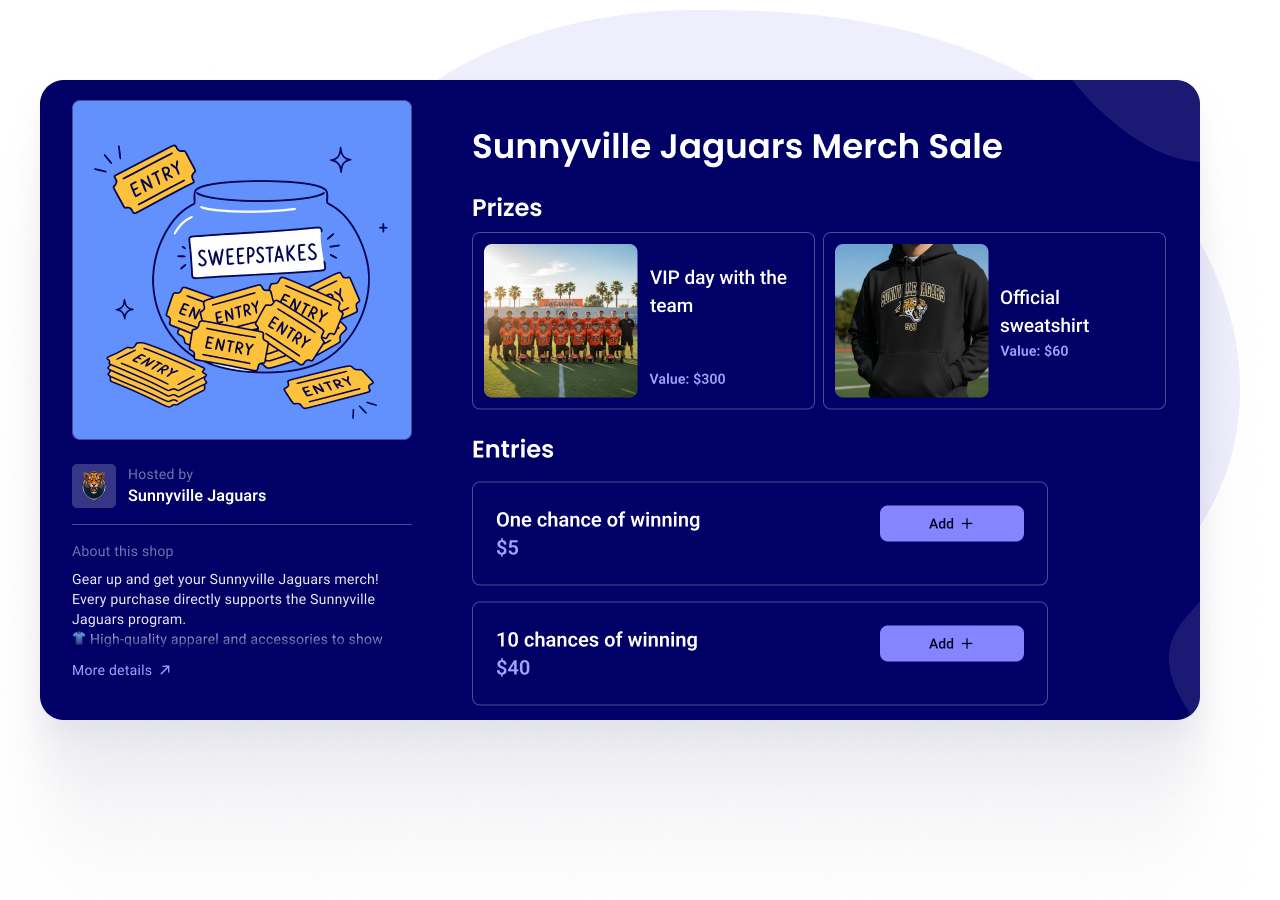
Raffles are legally tricky: in some states, you can't sell raffle tickets online. You can now run a sweepstakes on Zeffy instead, a drawing format that works in every state.
Zeffy writes your official rules and shows them right on your campaign page. Supporters enter with a donation, and the free entry the law requires is built in. You can also show off your prizes with a photo and their value.
Available in the US and the UK. Laws vary by state, and each organization is responsible for following the rules that apply to it.
October 12, 2026
You can now connect Zeffy to Claude and ask questions about your fundraising in plain English. How much did we raise this quarter? Which donors haven't given this year? Which campaign brought in the most new donors?
In Claude, open Settings, then Connectors, find Zeffy and click Connect. The answers come from your own Zeffy data.
By default the connector only reads your data. You can also let it update contacts and record manual payments, and it asks you before deleting anything. It never refunds payments, sends emails or changes your settings.
Prefer ChatGPT? The same connector works there too.
October 5, 2026
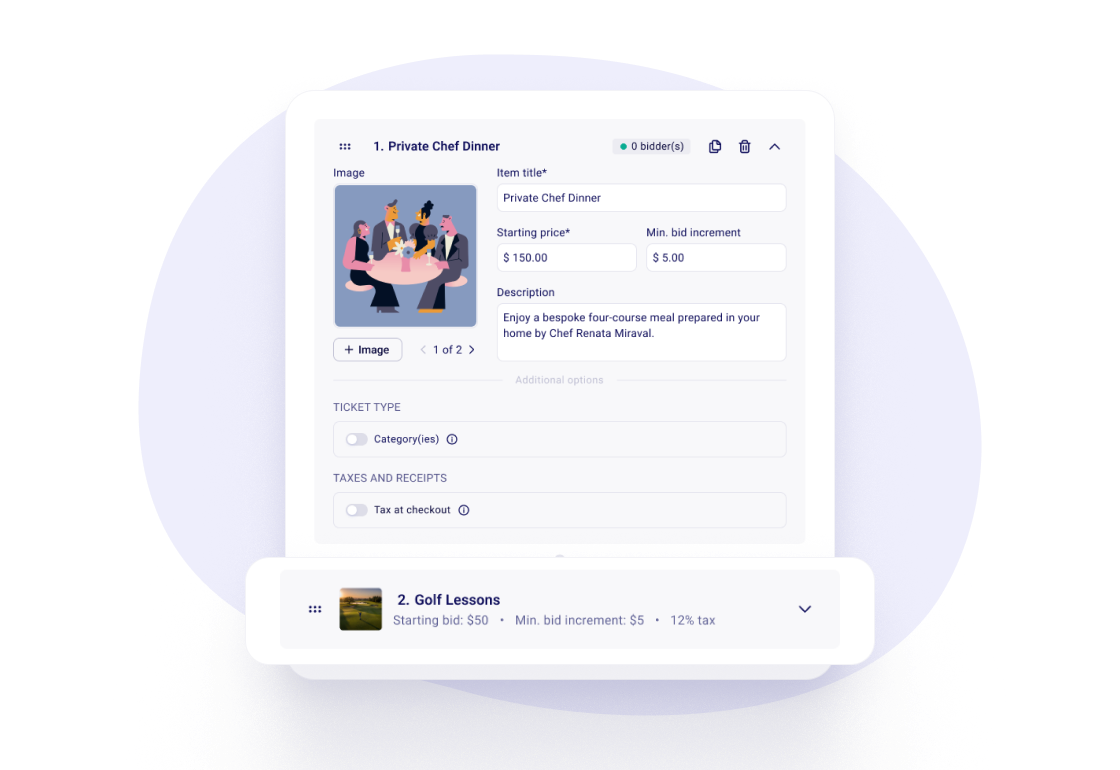
You can now add sales tax to auction items, just like on event tickets. Useful when your state taxes items sold at a charity auction.
October 5, 2026
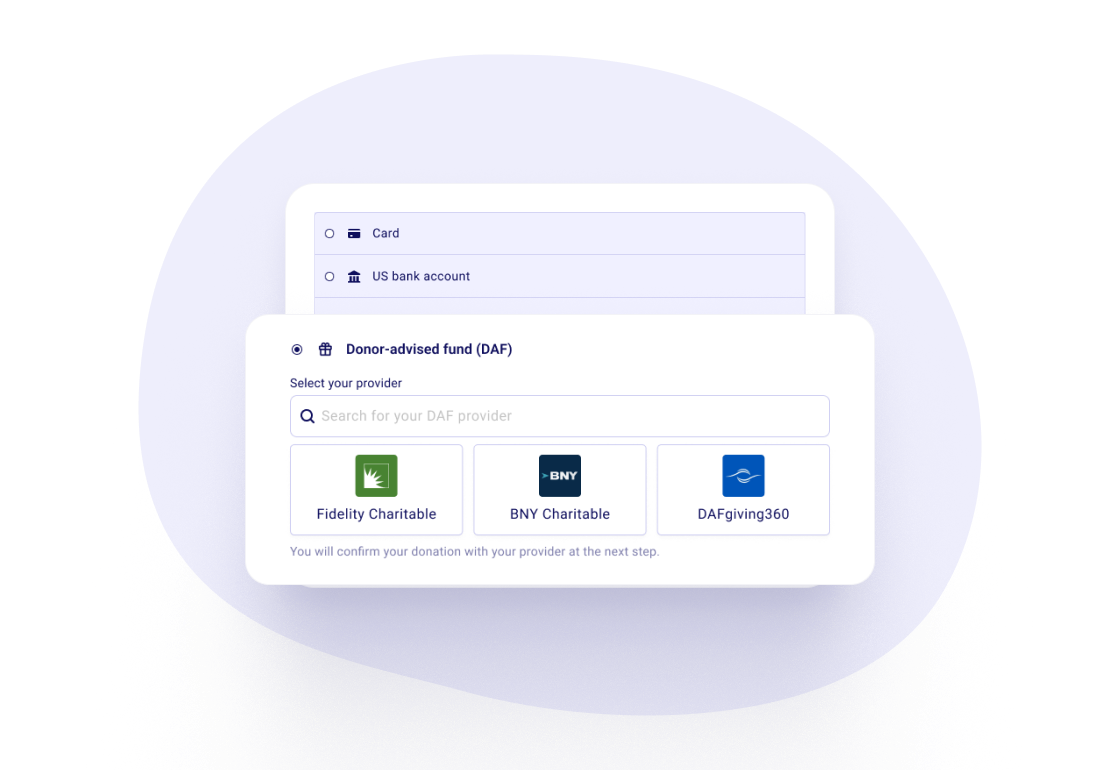
Donors who give through a donor-advised fund can now do it right from your donation form or peer-to-peer campaign.
They pick their fund provider, like Fidelity Charitable or DAFgiving360, and send the request with your details already filled in. You follow each gift in your Payments list until it's paid, with reminders sent for you.
Available to US charities, for one-time gifts of $1,000 or more. No fees, ever.
October 1, 2026
Organizations in Ireland and Germany can now take card payments with Tap to Pay, right from their phone.
It works on Android and iPhone. No card reader to buy, and it's free, like the rest of Zeffy.
October 1, 2026
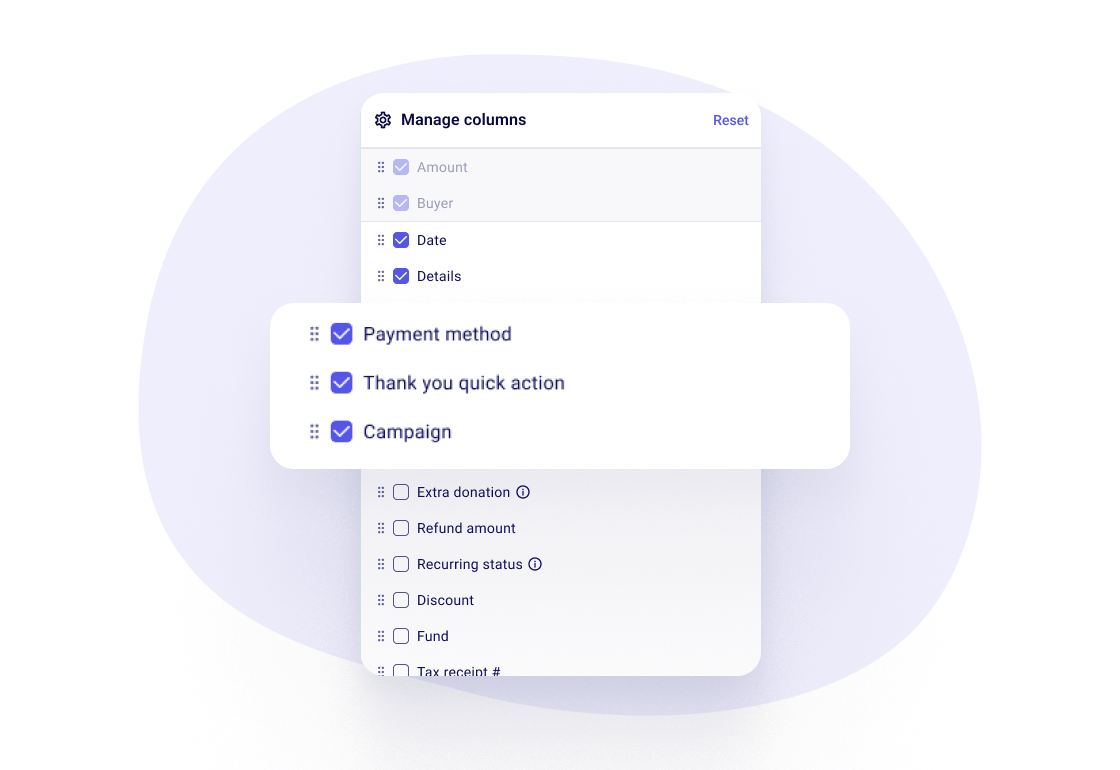
You can now pick which columns show in your Payments, Contacts and Members lists, and put them in the order you like.
On Payments, you can also sort and filter by any column. Handy for month-end or for finding one gift fast.
September 28, 2026
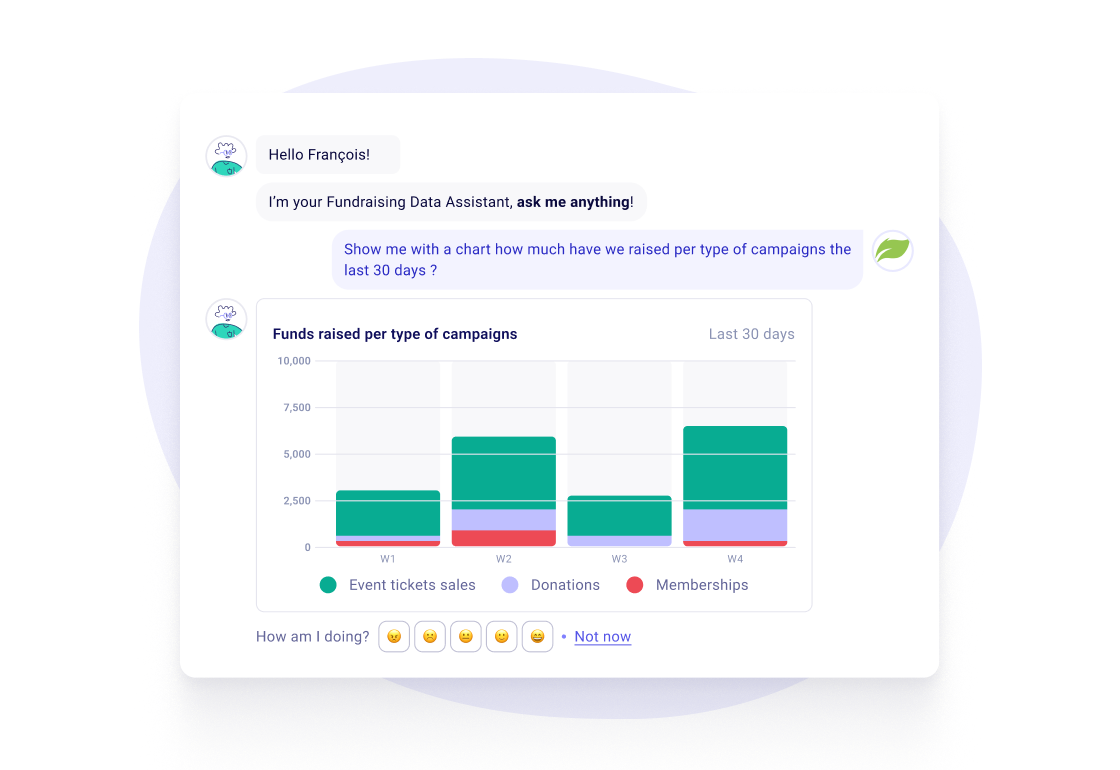
You can now ask the AI Data Assistant, right in your dashboard, questions about your fundraising in plain words. How much came in this month? Which campaign did best? Who gave last year but not this year?
When the answer is a trend or a comparison, it comes with a chart.
Not sure where to start? We suggest a few questions to get you going.
September 28, 2026
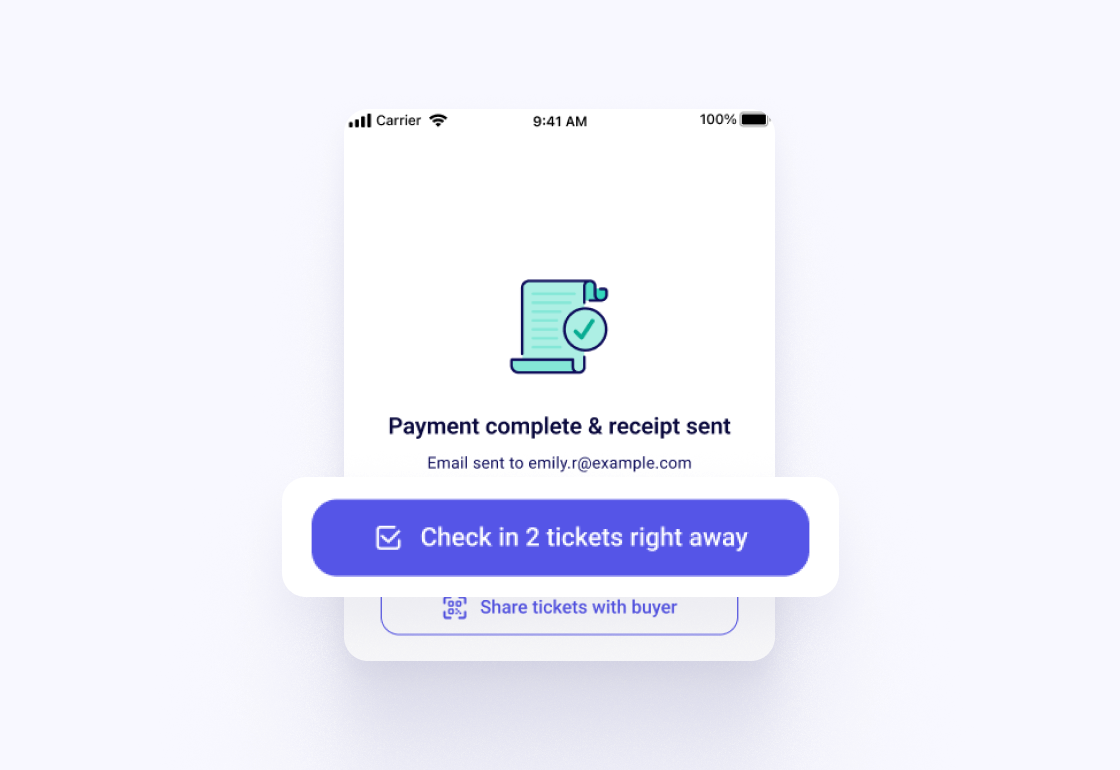
A family of four shouldn't take four scans.
If they bought online, scan one ticket with any phone camera and check in the whole order in one tap. If they buy at the door in the Zeffy app, check them all in right after they pay, and send them their tickets by QR code.
You can also filter and sort your guest list in the app to find someone in seconds.
September 28, 2026
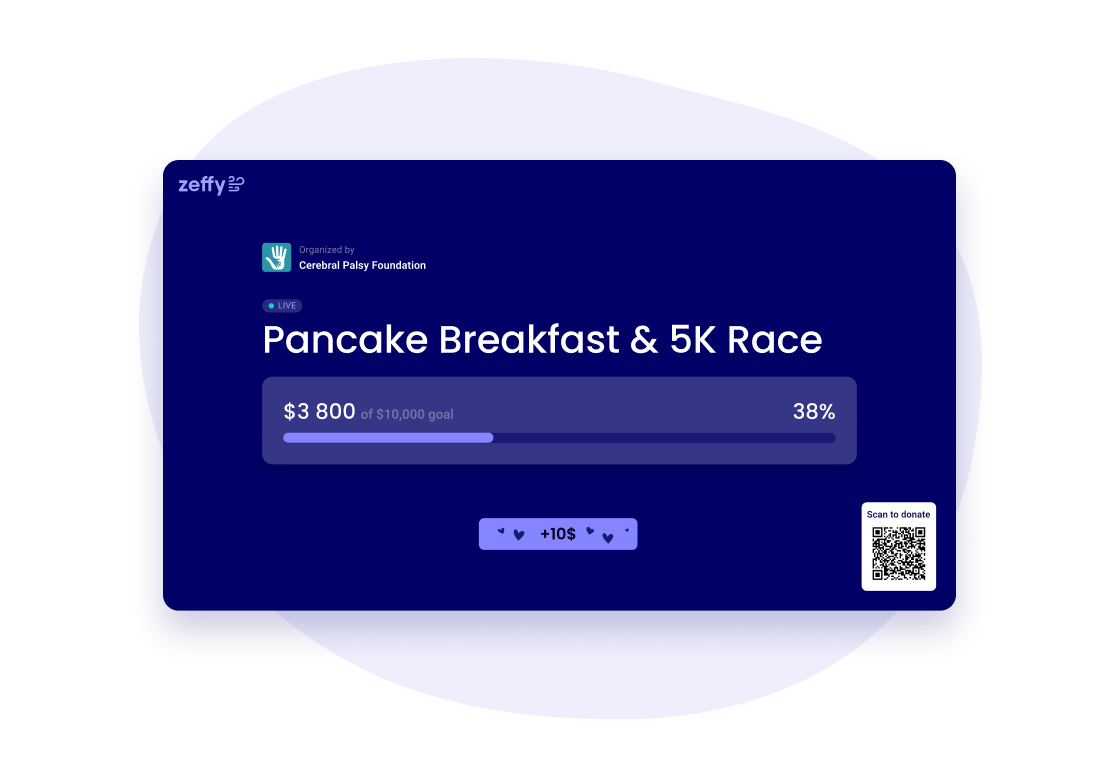
If your donation form has a thermometer, you now have a live page for it.
Open it on a projector or a TV at your event. It updates as gifts come in, so everyone in the room sees how close you are to the goal.
September 26, 2026

Give your form a look that matches your campaign. Six new animated backgrounds are ready to use: Faith, Sports, Fall, Winter, Giving Tuesday and Pride.
Pick one in your form's design settings.
September 23, 2026
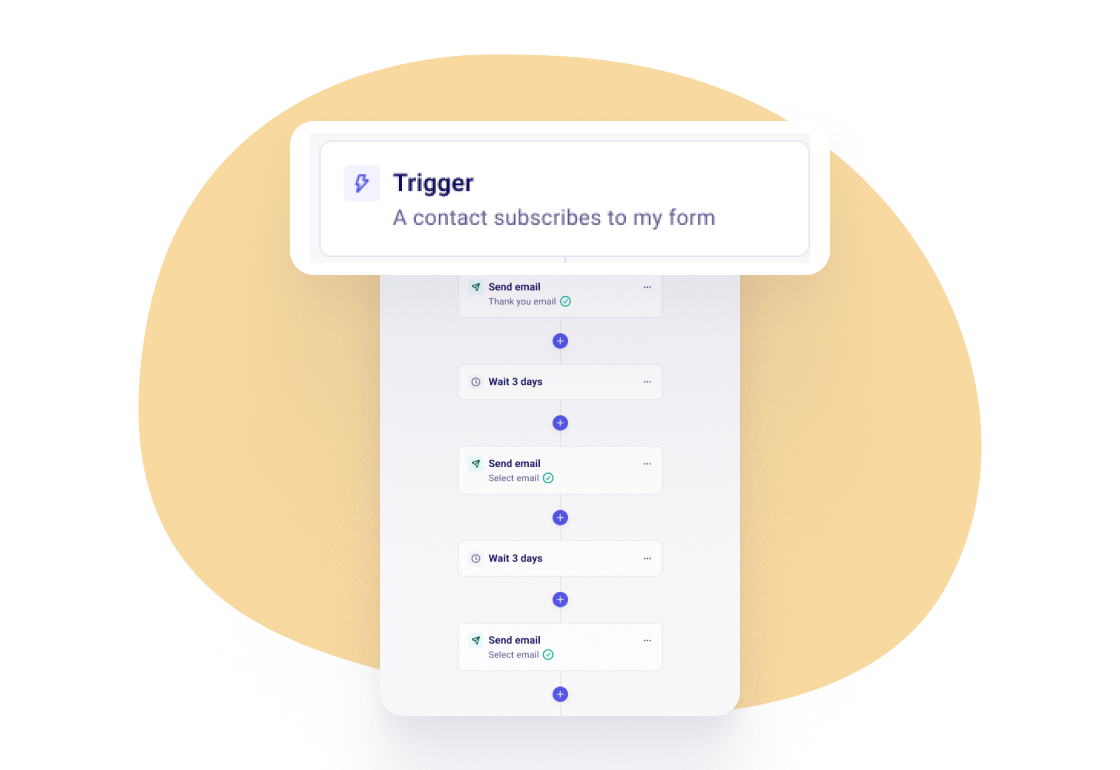
When someone signs up through one of your forms, Zeffy can now send them a welcome series on its own.
We start you off with two emails and a wait in between. Change the emails, the timing, or add steps. It's yours to shape.
Give the series a goal, like a first donation or becoming a monthly donor. As soon as someone reaches it, they leave the series, so nobody gets asked twice.
You can see how far each email got, and pause the series whenever you need to. Automations are available once your payment account is verified.
September 17, 2026
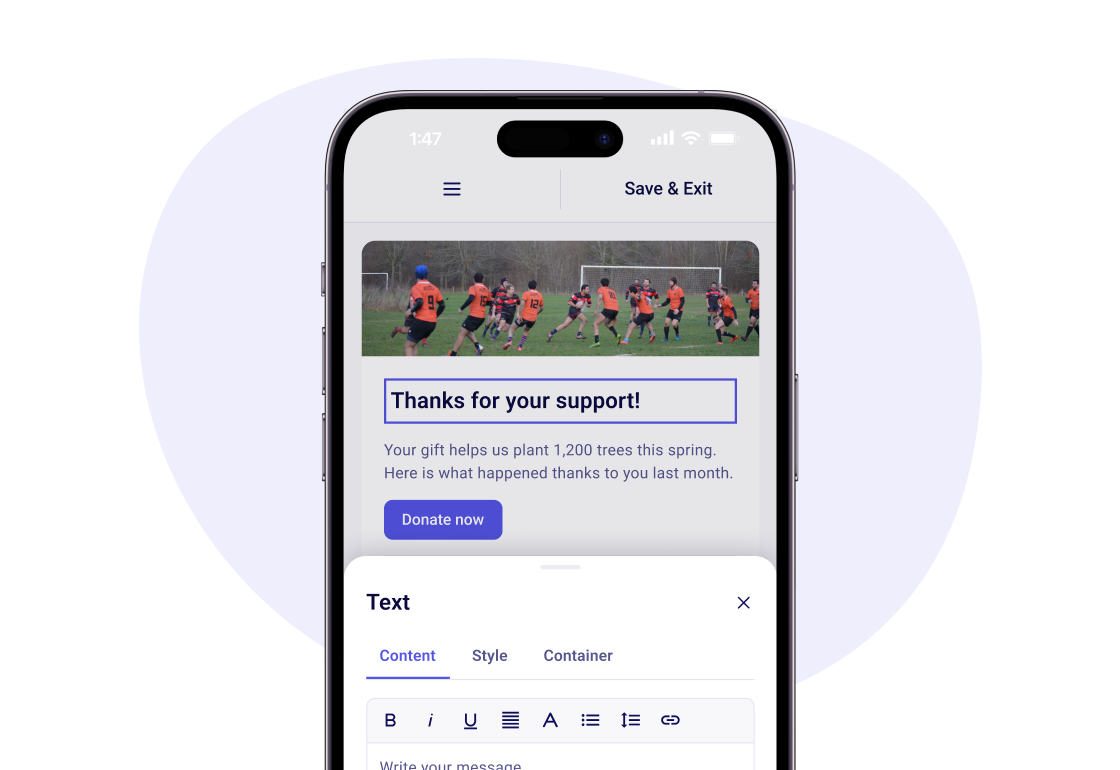
Build, preview and send an email from your phone. The editor, templates and recipient picker all work on a small screen — no laptop required.
Pick a template, drop in your content, and see exactly what your supporters will see before you hit send.
September 14, 2026
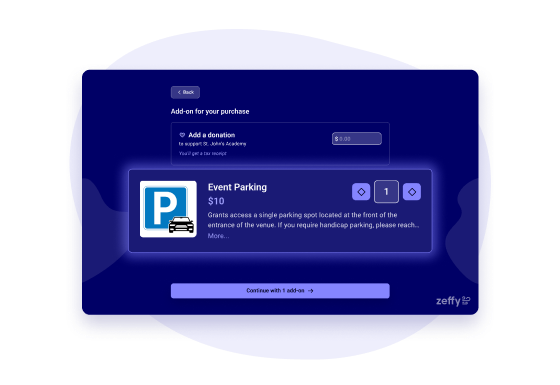
Add parking, a t-shirt, a meal, or a raffle bundle as add-ons on your event form. Guests pick them in their own step after choosing a ticket.
Each add-on can carry its own QR coupon, scanned and redeemed at the door — so the person who paid for parking is the one who gets it.
Add-ons show up on the thank-you email, the web ticket, the guest list and the check-in manager. Cancel or refund one without touching the rest of the order.
September 11, 2026
Bidders get a text the moment someone tops their bid — on by default, nothing to turn on. No more refreshing a page to find out you lost the item.
September 10, 2026
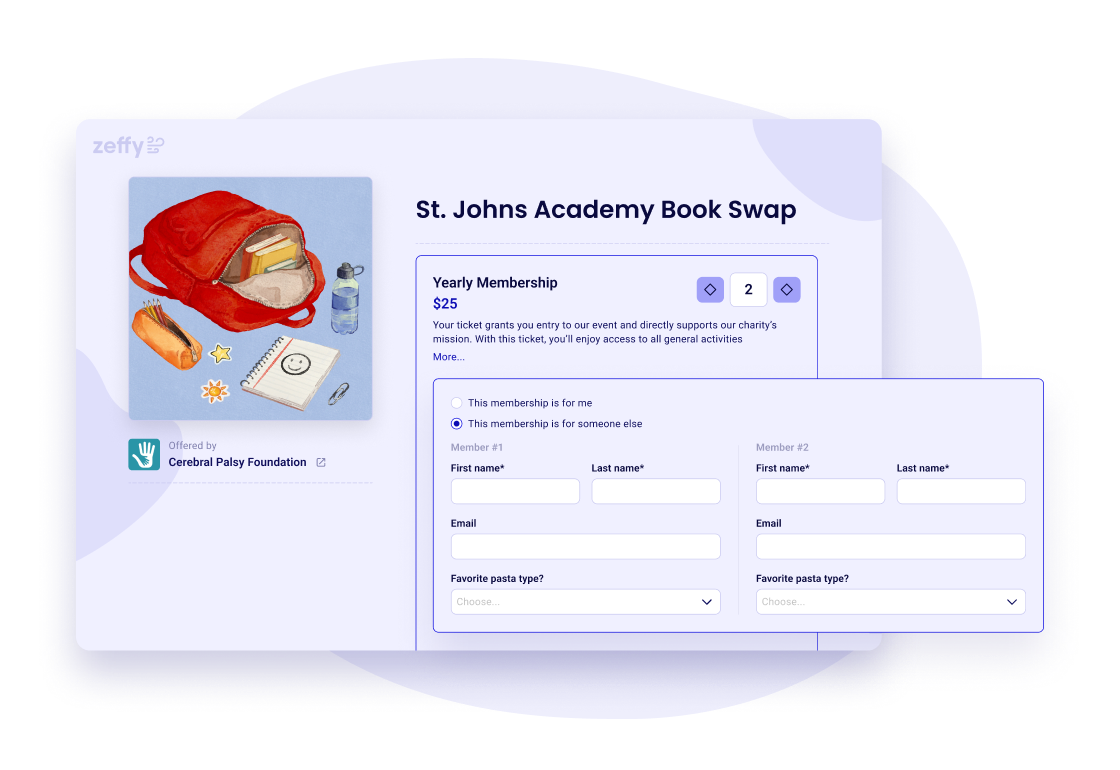
A parent renewing for two kids, a captain signing up the team, a member buying a gift membership — it's all one checkout now.
Say who each membership is for, and anyone you're signing up on your behalf gets their own contact and their own membership card by email.
Your member list shows the actual members, not just the person who paid.
September 4, 2026
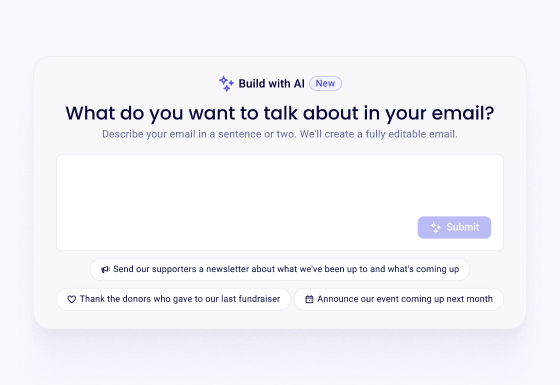
Tell Zeffy what you want to say and it drafts a fully editable email using your campaign details, your branding and your tone of voice.
Already have an email you like? Paste in the HTML and Zeffy brings the text, styling and images across.
Either way, you land in the builder with something to work from, not a blank page.
September 2, 2026

Early-bird pricing, a members-only window, a late tier that opens the week of the event: set a start and an end on any ticket and Zeffy handles the rest.
Buyers always see where they stand, with tickets labelled “Not yet available,” “Available until May 16,” or “Sales ended” instead of quietly appearing and disappearing.
Existing early-bird setups were converted automatically — nothing to redo.
September 2, 2026
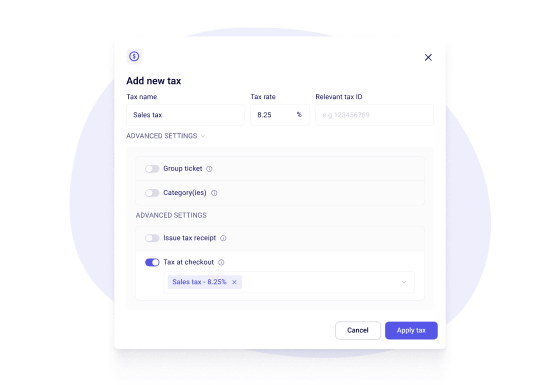
Set your tax up once — a name, a rate, your tax ID — then switch it on for the items that need it. A taxable t-shirt, an exempt ticket, a taxed add-on: you decide, item by item.
Buyers see the tax on its own line before they pay. Receipts itemize it under your organization's name and tax number, and your payouts keep tax collected separate from revenue.
Available in the US and Canada.
September 1, 2026
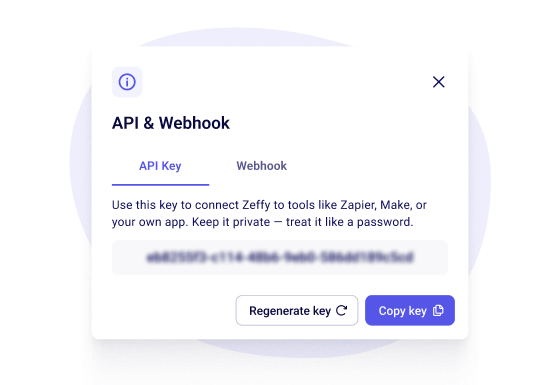
The Zeffy API can now write payments, not just contacts — including ticket purchases. Read your data into the tools you already use, or push updates back into Zeffy.
Pick exactly which webhook events your endpoint subscribes to, instead of receiving all of them. Failed deliveries retry for up to three days, so a server hiccup doesn't lose data.
Write access needs your organization to be Stripe-verified.
Free to use, like everything on Zeffy.
August 6, 2026
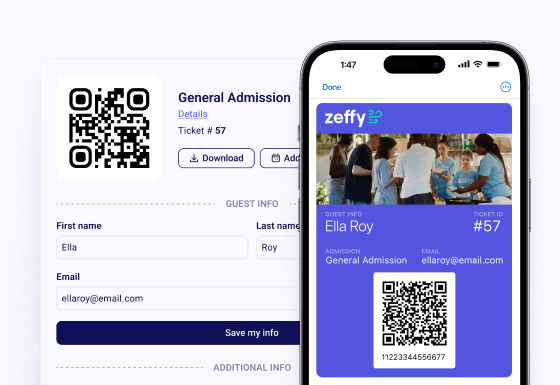
When someone buys a ticket, they can add it to Apple Wallet or Google Wallet straight from their confirmation email. No app, no account, nothing to print.
There's nothing for you to switch on. It already works on your events.
Same pass, one less thing to dig for at the door — no more scrolling through inbox search. Works for raffles and memberships too.
July 29, 2026
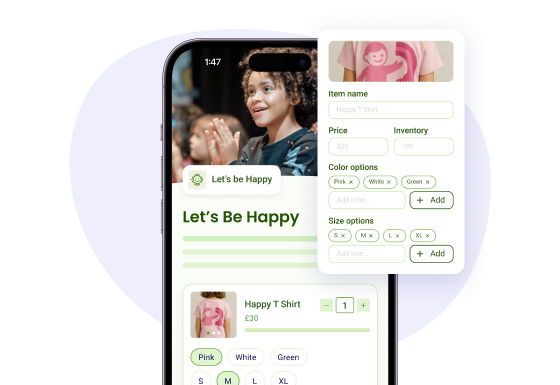
Add sizes, colors, or any option you name, and each combination keeps its own stock count.
A sold-out medium greys out instead of disappearing, so buyers can see it existed and you know what to reorder.
Works on custom forms too, not just your shop.
July 28, 2026
Type “VIP table” or “member rate” and Zeffy offers you the setting that goes with it — group ticket, members-only, or a tax receipt — right under the description.
Set a total capacity for the whole event and Zeffy warns you if your individual ticket numbers add up to more than the room holds.
July 13, 2026

Zeffy is now fully live in Ireland. Irish charities can accept donations, sell tickets, run peer-to-peer campaigns, and manage donors, all with zero platform fees.
You’re joining a community of 100,000+ nonprofits that have already raised over $2B with Zeffy across Canada, the UK, the US, and Australia. Irish organisations get the same tools, in EUR, with the same zero-fee model.
Free for every nonprofit on Zeffy. Get started →
June 18, 2026
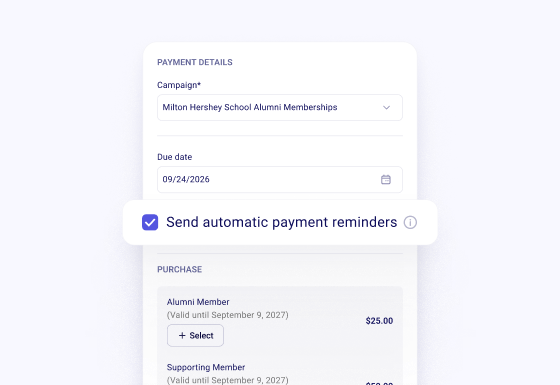
Sometimes you just need to bill someone — a sponsor, a vendor, a board member's company match. Send an invoice straight from Zeffy, no pledge step required.
They get a link good for a year and pay by card, Apple Pay, Google Pay, or bank transfer, whenever they're ready.
It lands against the right campaign and the right person automatically — no spreadsheet to reconcile later.
Free to use, like everything on Zeffy.
June 18, 2026
Someone wants to give, just not today. Record a pledge with the amount and the date it's due, and Zeffy takes it from there.
Reminders go out on their own — two weeks before, one week before, two days before. When they're ready, they pay from a link: card, Apple Pay, Google Pay, or bank transfer.
Pledged amounts count toward your campaign total before the money arrives, so your progress reflects what's coming, not just what's landed.
Free to use, like everything on Zeffy.
June 11, 2026
Pick Standard or First Class for each Donor Mail send, so a year-end appeal that has to land before December 31 goes First Class, and a routine thank-you doesn't have to.
Your letters also move through a faster printer now, with better address validation before anything goes out.
June 8, 2026
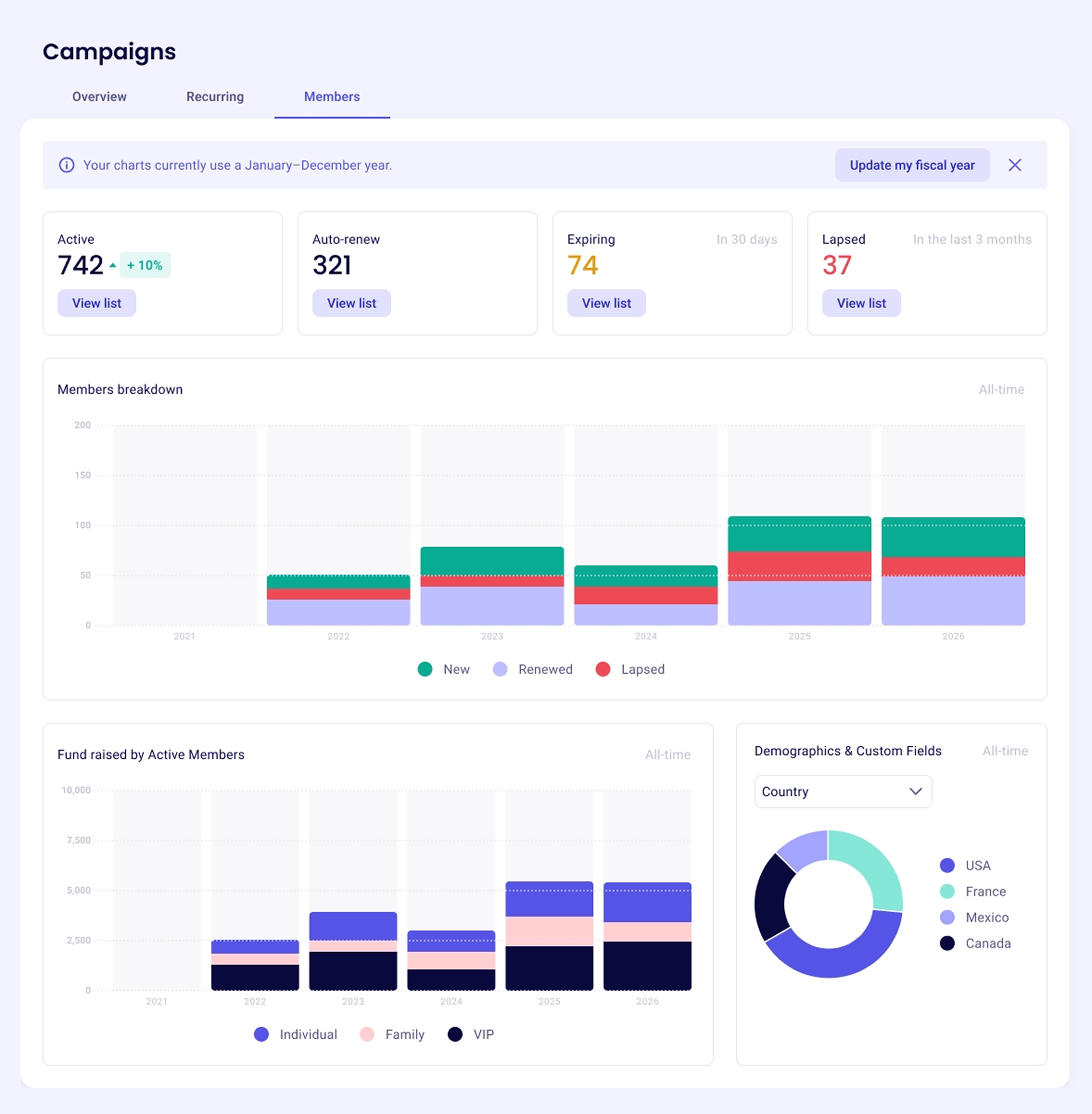
The new membership dashboard shows your whole program in one place: active members, auto-renewals, memberships expiring in the next 30 days, and members who recently lapsed.
Each card opens the exact list of people behind the number, so you know who to follow up with. It updates in real time in the Campaigns tab, no spreadsheet required.
Free to use, like everything on Zeffy.
June 8, 2026

The new recurring donation dashboard brings your donor health into one view: total support raised, new monthly donors, predicted recurring revenue for the year, and the donors who recently lapsed.
Open the Campaigns tab and it updates on its own, no exports or spreadsheets. It flags recurring donors who stopped giving in the last three months and links straight to that list so you can reach out.
Free to use, like everything on Zeffy.
June 2, 2026
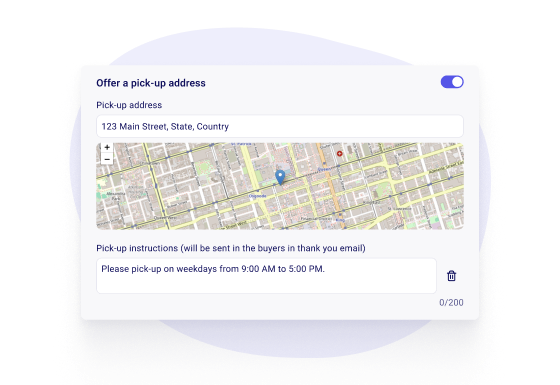
Choose pick-up, shipping, or both, and buyers pick between them before they pay.
Orders land in a Fulfillment tab where you mark each one ready, and Zeffy emails the buyer that their order is waiting — or on its way.
May 22, 2026
Zeffy can invite a one-time donor to make their gift monthly, right in the form as they give — and you switch that invitation on or off per campaign.
Turning a one-time gift into a recurring one is the single highest-leverage thing a donation form can do for you.
May 15, 2026
Zeffy is now fully live in Australia. Australian charities can accept donations, sell tickets, run peer-to-peer campaigns, and manage donors, all with zero platform fees.
You're joining a community of 100,000+ nonprofits that have already raised over $2B with Zeffy across Canada, the UK, and the US. Australian organisations get the same tools, in AUD, with the same zero-fee model.
Free for every nonprofit on Zeffy. Get started →
May 4, 2026

Open ChatGPT, ask any question about your donors in plain English, and get an answer in seconds. Find your top donors, spot first-time givers, compare campaigns, see monthly giving trends.
No spreadsheets, no formulas, no exports. Read-only access keeps your Zeffy data safe.
Free for every nonprofit on Zeffy. ChatGPT Plus required (paid to OpenAI, not Zeffy).
May 4, 2026
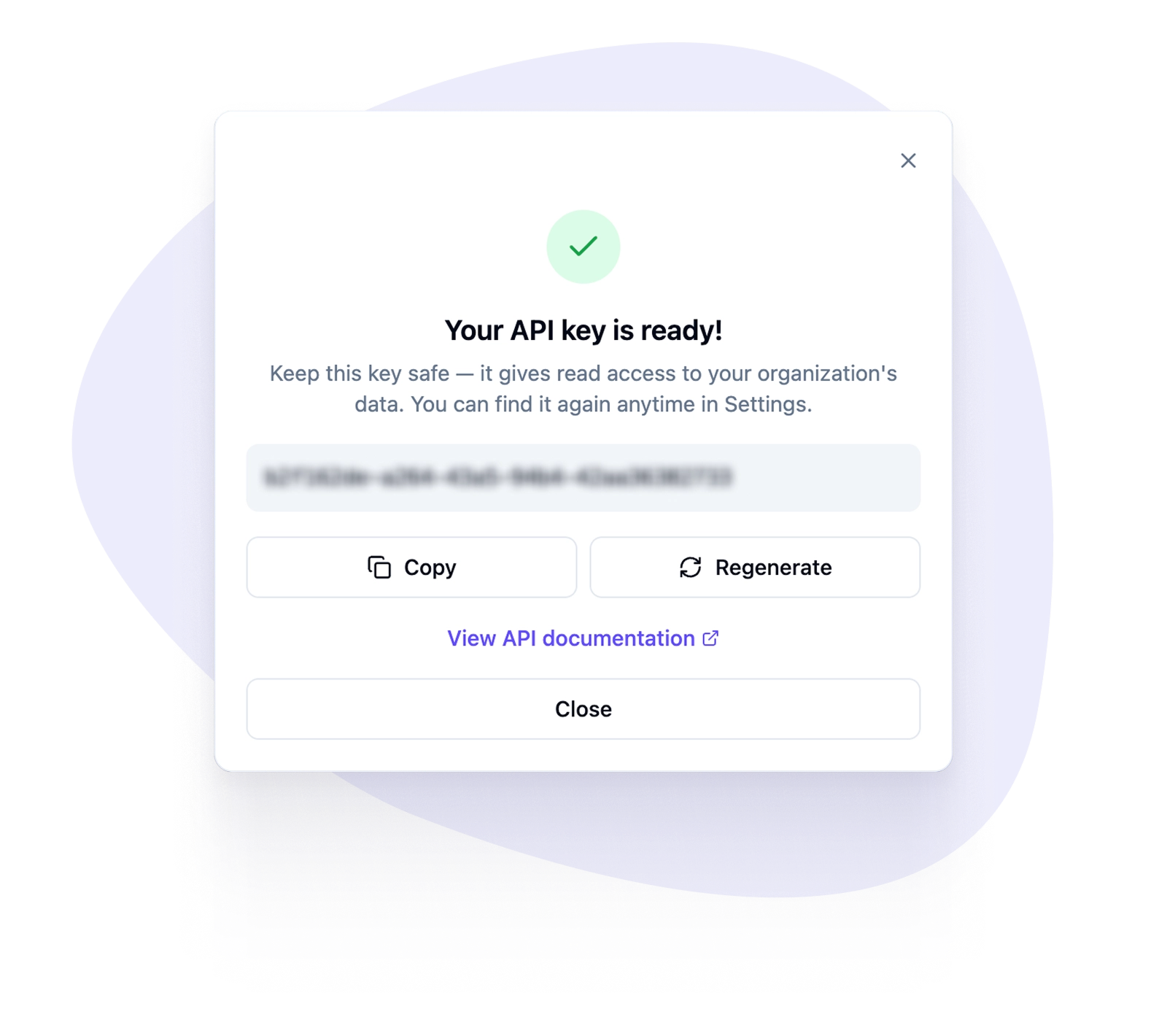
Pull your donations, contacts, and campaigns into the tools you already use. Build live fundraising dashboards, sync new donations to Salesforce or HubSpot, generate custom financial reports for your board.
Generate your API key in a few clicks from Settings. Read-only access, 100 requests per minute, full line-item detail on every payment.
Free to use, like everything on Zeffy. Other platforms charge monthly fees for the same access.
April 24, 2026
Your share menu prints a sheet for each item — your logo, the item name, its starting bid and minimum increment, and a QR code that opens that item's bidding page directly.
A guest standing in front of the painting scans the card beside it and bids on the painting, rather than landing on a list of forty things and hunting for it.
April 24, 2026
Bidders can set the most they're willing to pay, and let auto-bid take it from there — outbidding others automatically up to that limit.
One tap to set a max, then bidders can walk away from the screen instead of refreshing all night.
April 16, 2026
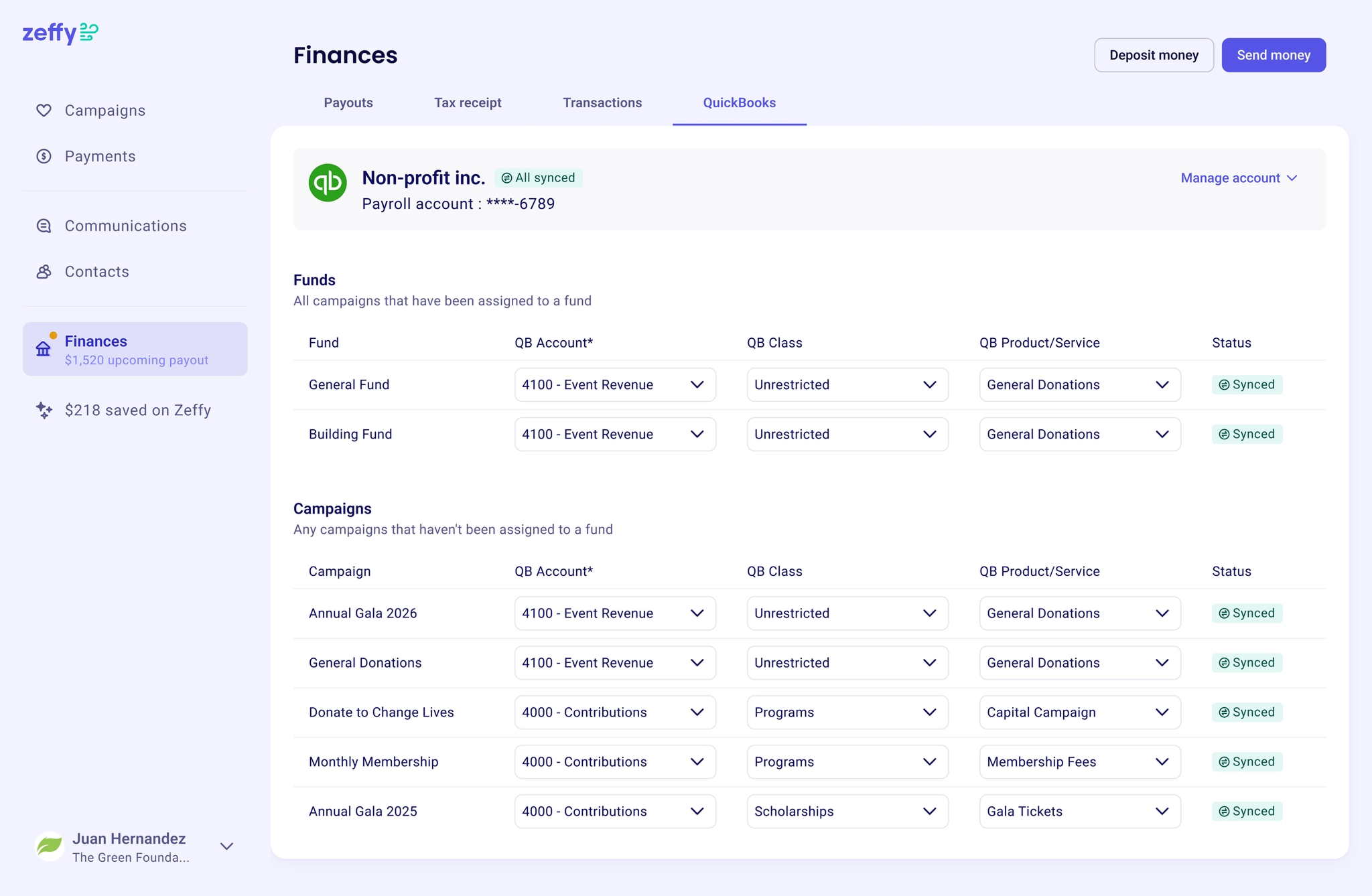
Connect your QuickBooks account once, and every Zeffy payout shows up already sorted by campaign and fund. Map your funds and campaigns to QuickBooks accounts, classes, and products, so donations flow in categorized the way your accountant actually needs.
Free to connect, free to use, like everything on Zeffy.
April 15, 2026
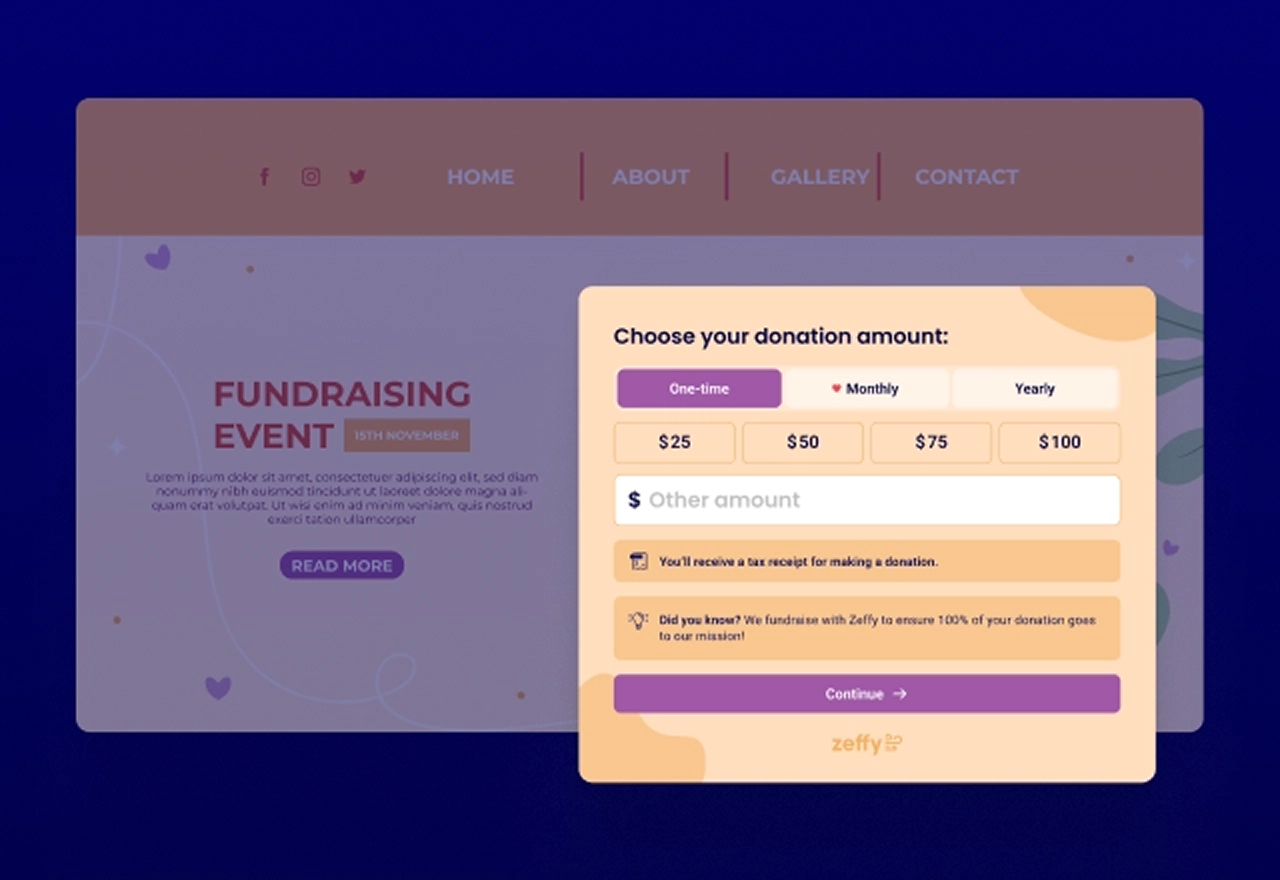
We upgraded how your Zeffy donation form looks and works when embedded on your website. Dynamic height so the form fits the content on every step. Smooth transitions when donors move between steps. Adapts to any width, whether full page or side panel.
To get the new version, go to your campaign, click share, and copy the new embed code. Paste it where the old one was on your website. Takes about two minutes.
April 1, 2026
Fund designation is now a native feature on Zeffy. Add funds to your account once, attach them to any donation campaign, and let donors choose at checkout. The breakdown shows up automatically in your payout report, so no more manual exports or spreadsheet grouping.
Setup takes about 2 minutes. If you already have a custom question doing this job, you can swap it out for cleaner reporting right away.
February 25, 2026
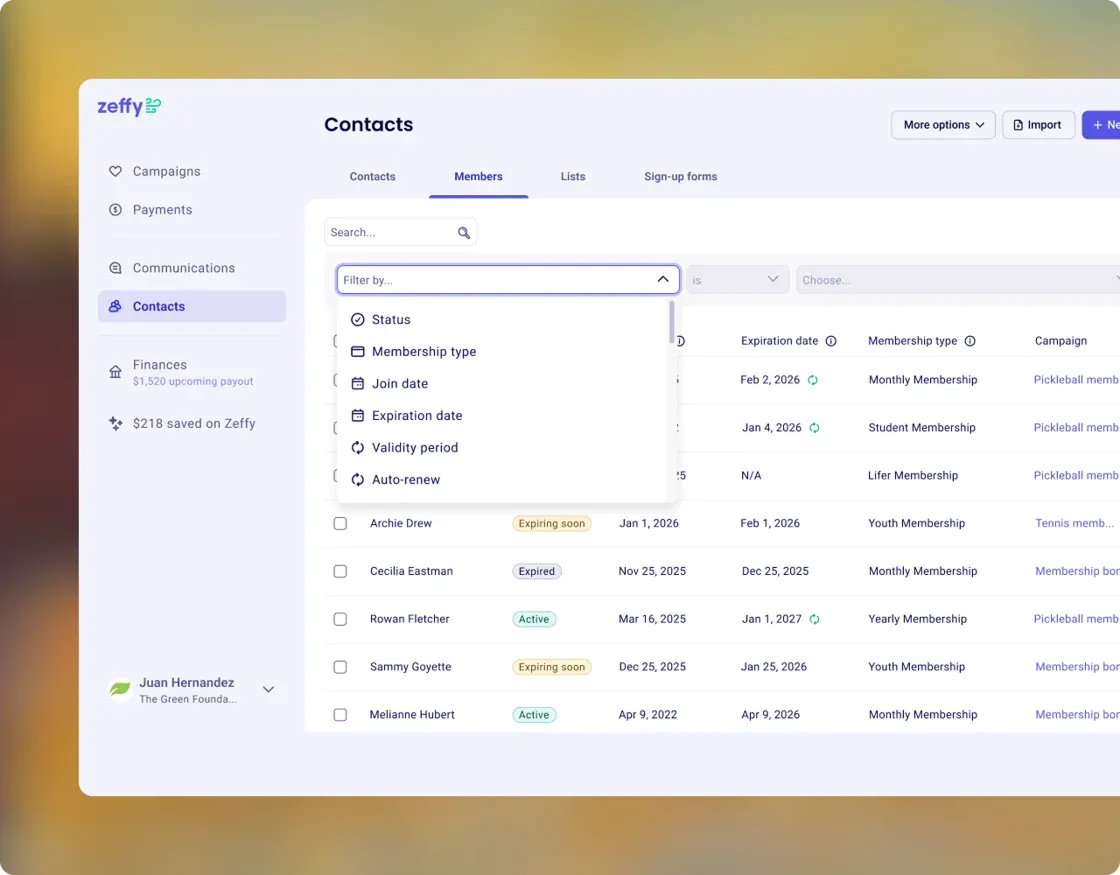
A dedicated Members tab now lives inside your Contact section. Filter by status, membership type, join date, expiration, auto-renewal, and more — so you always know who's active, who's lapsing, and who needs a nudge.
Open any contact to see their full membership details at a glance. And your Campaign hub now includes a filtered member view, so you can see exactly who's in each program without jumping between pages.
February 25, 2026
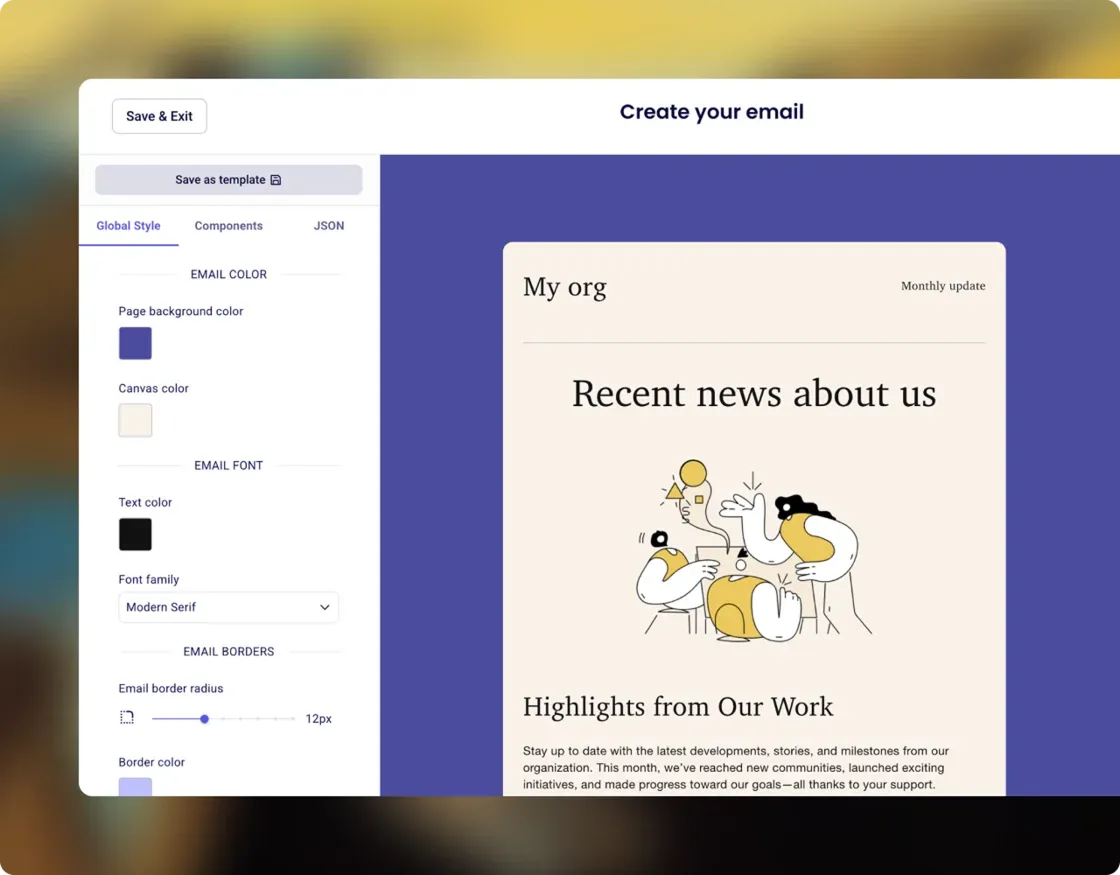
Drag and drop blocks, pick a template, and send emails that match your brand — all without leaving Zeffy.
Start from our library of ready to use templates, duplicate a past email, or simply build from scratch.
February 25, 2026
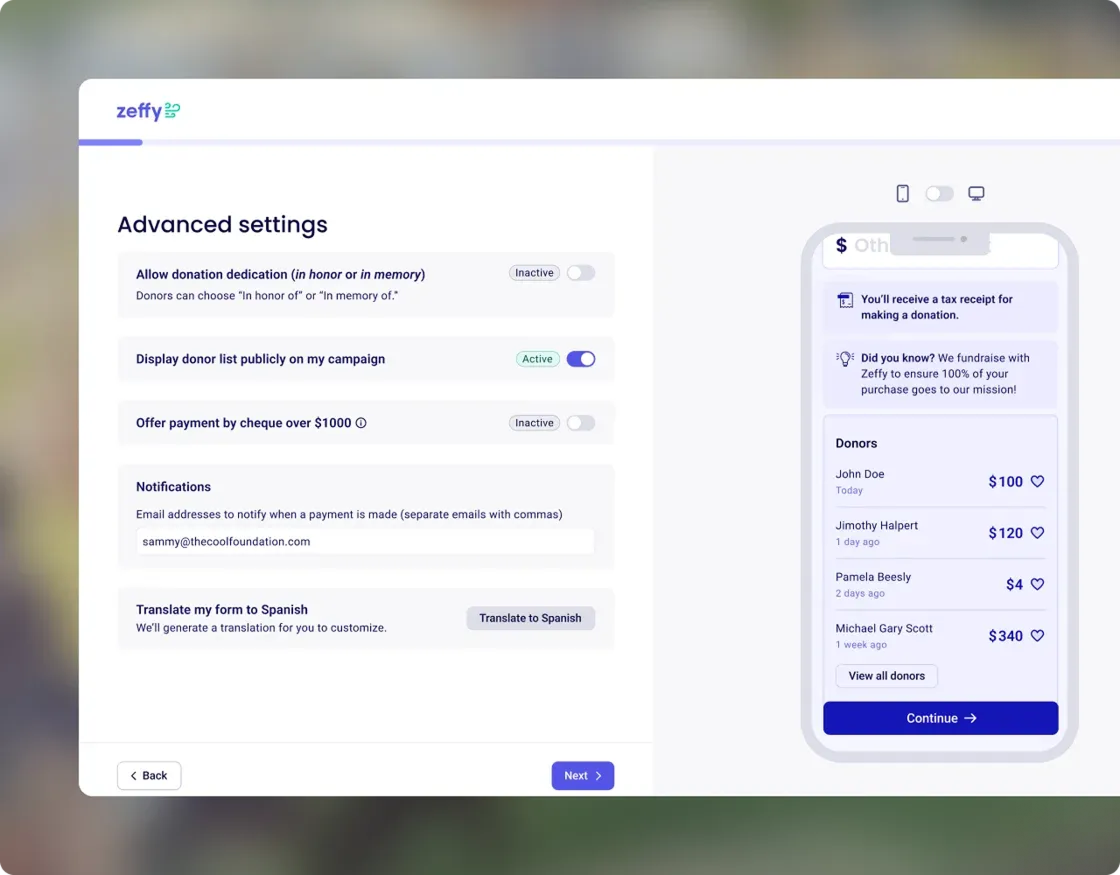
Thermometer and donor list are now separate — turn each on independently, only if you want them. In honor vs. in memory is now clearly distinguished, so you always know how to follow up with the right message. Every setting includes a built-in explanation.
February 18, 2026
You now have a single, shareable page where supporters can find everything you do, including events, donations, memberships, auctions, and more.
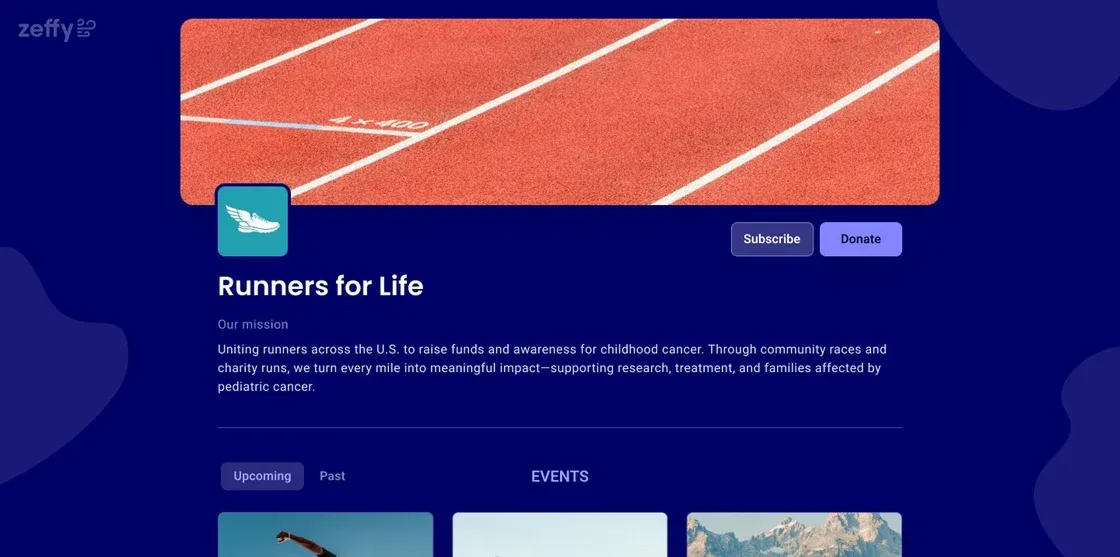
You control what shows up. Choose which campaigns to feature, add your logo and colors, and write your own description. Everything updates automatically as you create new events—no extra work.
Supporters can browse, register, donate, or buy tickets without leaving the page, and subscribe so they never miss what's next.
Your page is already set up in your dashboard—just unpublished for now. Take a few minutes to customize it, then publish when you're ready.
February 11, 2026
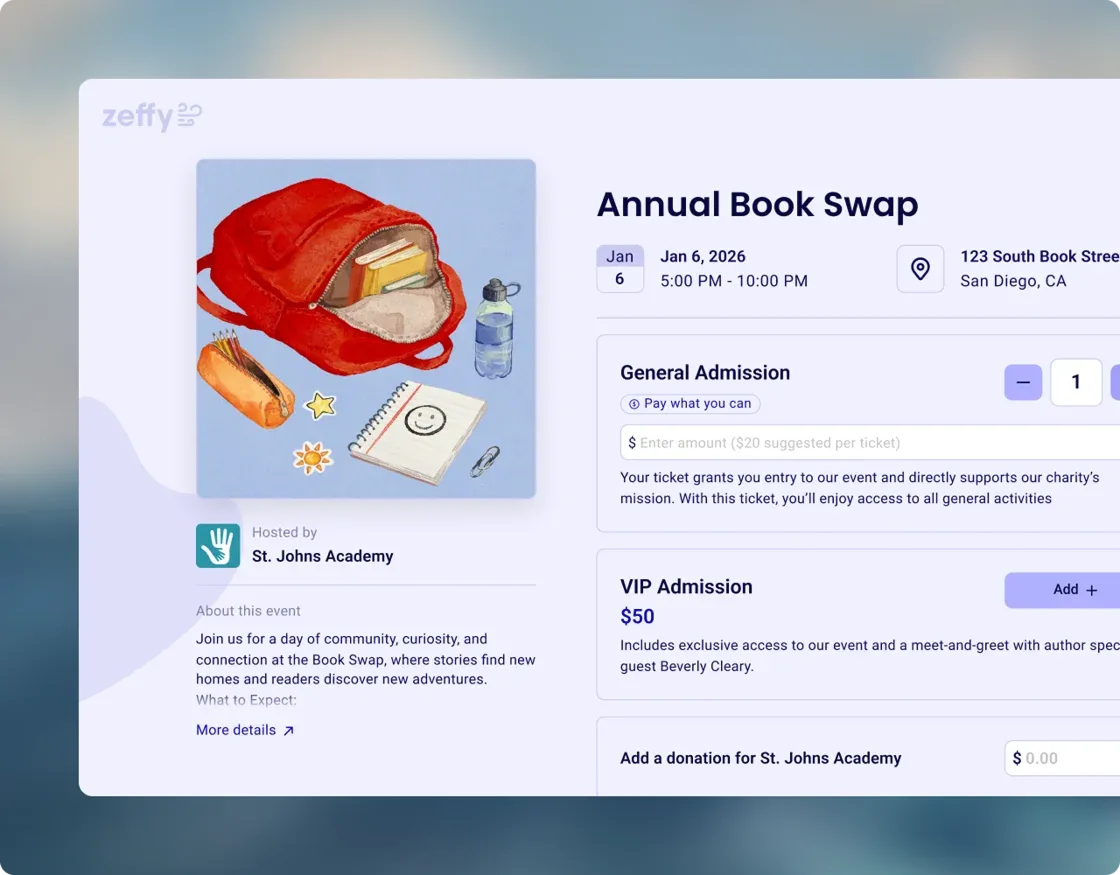
February 11, 2026
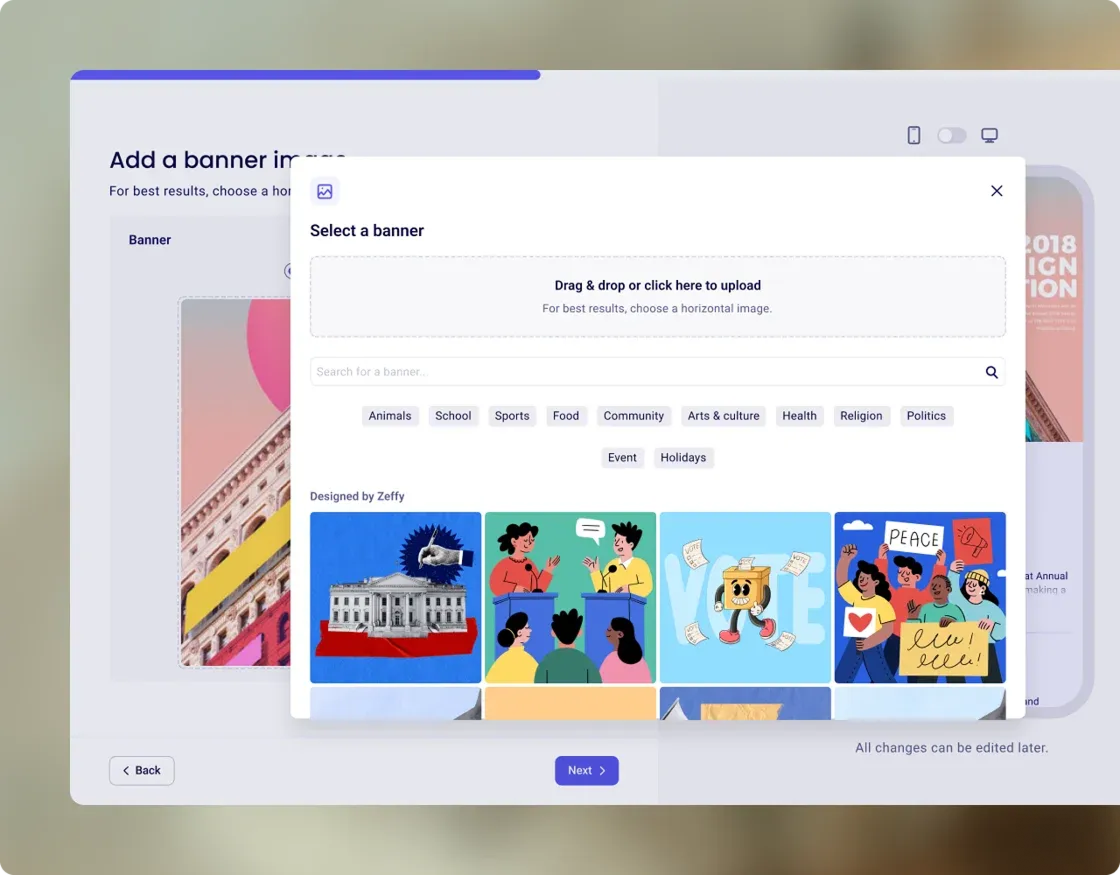
When you're building a form, you'll find a library of ready-to-use images plus Unsplash search built right in. Pick one that fits your event, and your campaign looks professional instantly. No design skills needed.
Add an image to your next form →
February 11, 2026
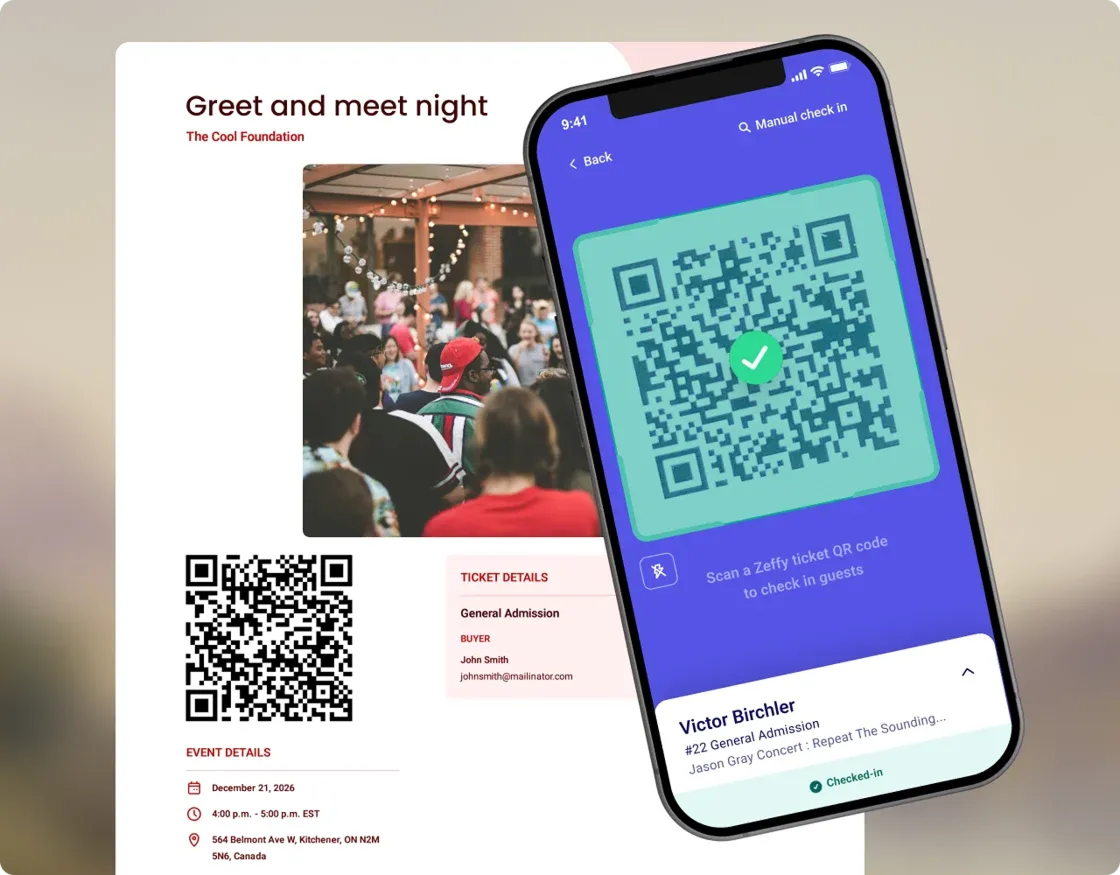
Open the Zeffy app, scan your guest list, and keep moving without interruption. Need to find someone? Search by name or email right inside the app. Hand a phone to a volunteer and they're ready to go.
.webp)


