
FEATURE

Accept donor-advised fund (DAF) donations, free

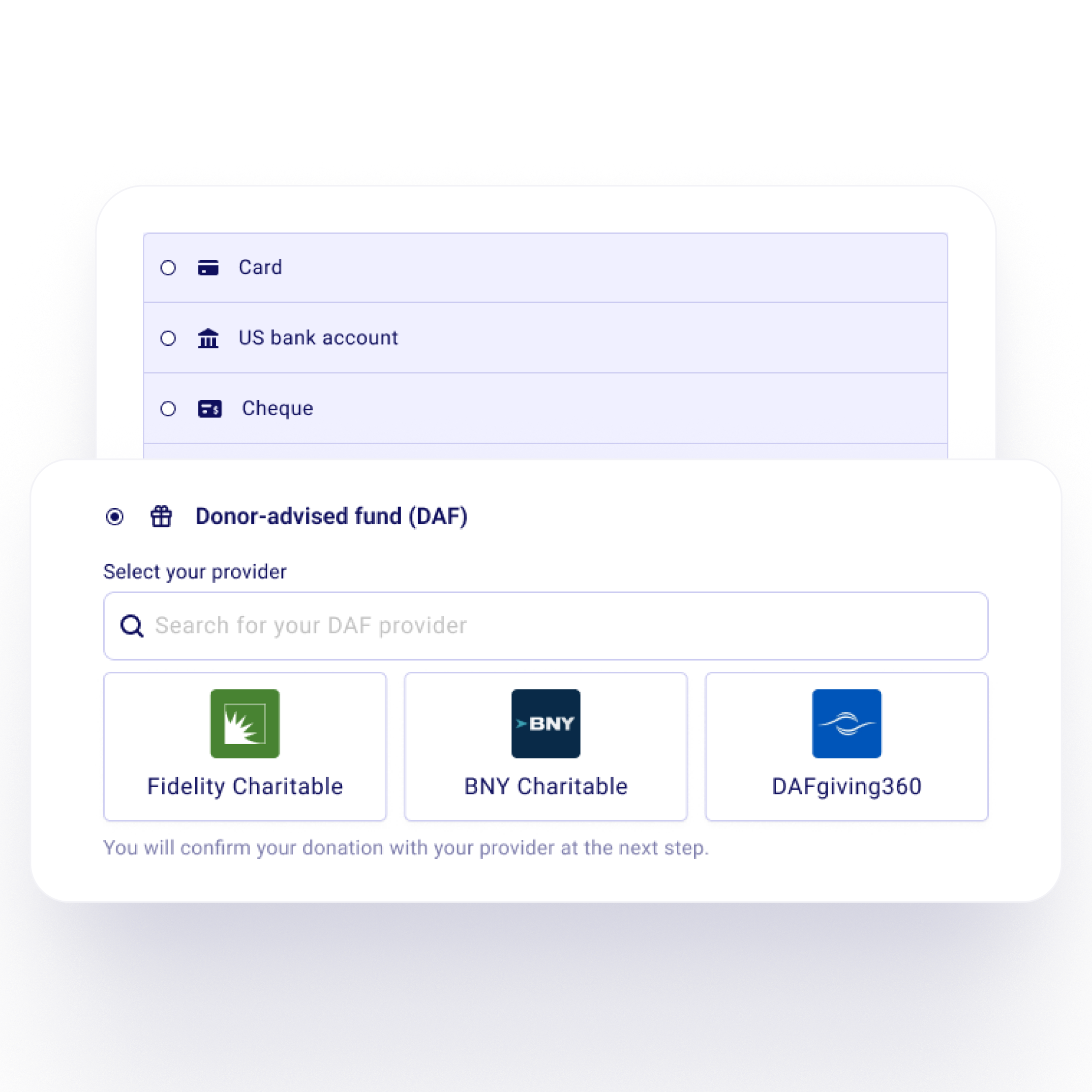
Let donors give from their donor-advised fund right on your Zeffy donation form or peer-to-peer campaign. DAF payments for US nonprofits, with no fees and no widget to install.

Zeffy donation form with the donor-advised fund (DAF) payment option and the fund provider picker
Decorative

How DAF donations work on Zeffy

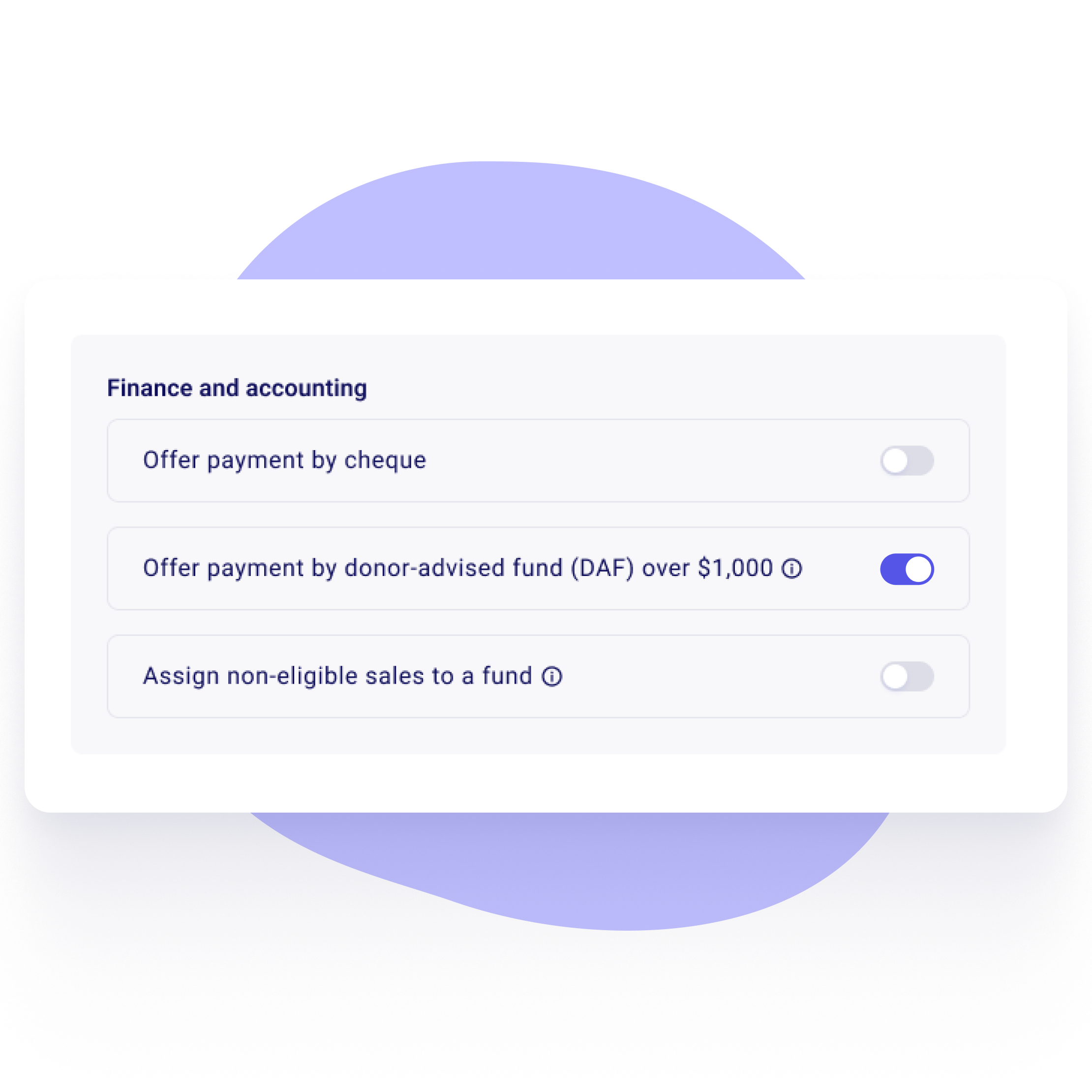
Zeffy form setting to offer payment by donor-advised fund (DAF) over $1,000, turned on

Step 1

Turn on donor-advised funds

Switch on the DAF option on your donation form or peer-to-peer campaign. It shows next to card and bank for one-time gifts of $1,000 or more.

Sign up for freeStart your nonprofit
DAF provider picker with Fidelity Charitable, BNY Charitable and DAFgiving360

Step 2

Donors pick their fund provider

Fidelity Charitable, BNY Charitable and DAFgiving360 are one click away. Donors can search for any other provider too.
Start your nonprofitSign up for free
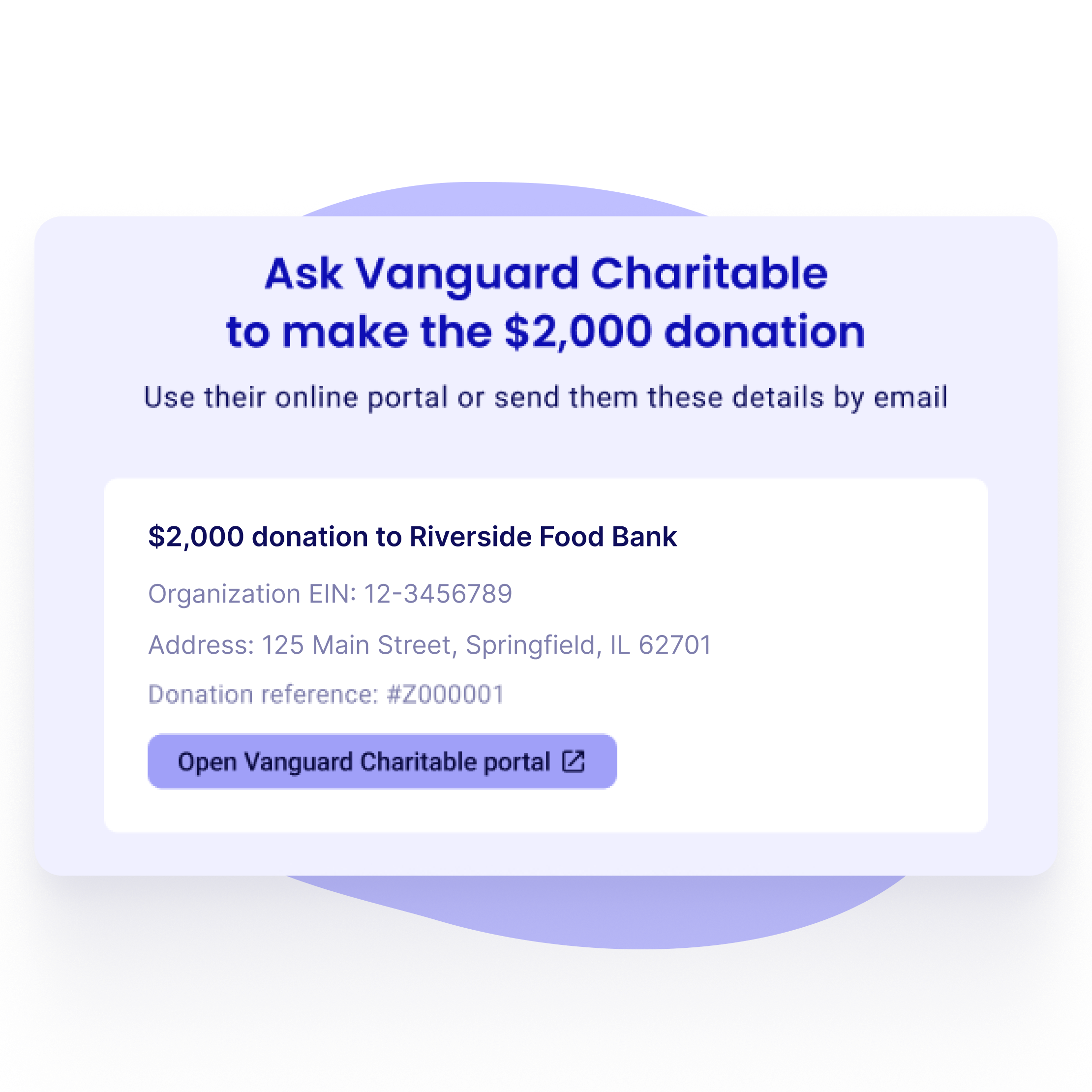
Donation details ready for the donor's fund: amount, nonprofit name, EIN, address and donation reference

Step 3

Their request goes out with your details filled in

For Fidelity Charitable, BNY Charitable and DAFgiving360, the donor's portal opens with the amount, your EIN, your legal name and a donation reference already filled in. For any other fund, Zeffy shows every detail the provider needs, ready to copy.
Sign up for freeStart your nonprofit
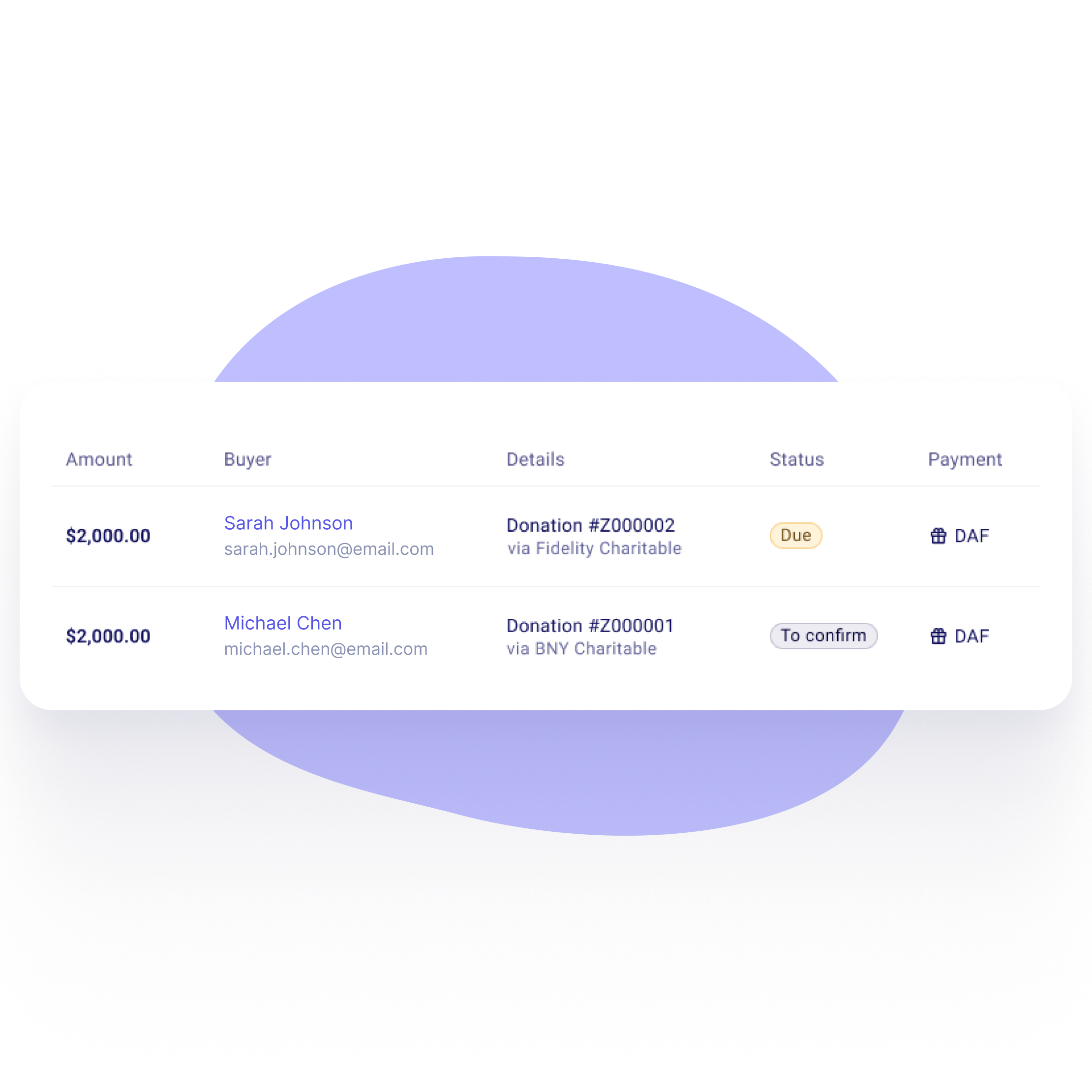
Zeffy payments list showing DAF gifts with Due and To confirm statuses

Step 4

Track each gift until it arrives

The gift shows as Due in your payments list until the money arrives. Mark it as paid and the donor gets an email. If a donor doesn't finish, Zeffy sends a reminder to them and to your team.


Sign up for freeStart your nonprofit
Zeffy form setting to offer payment by donor-advised fund (DAF) over $1,000, turned on

Step 1

Turn on donor-advised funds

Switch on the DAF option on your donation form or peer-to-peer campaign. It shows next to card and bank for one-time gifts of $1,000 or more.

Step 2

Donors pick their fund provider

Fidelity Charitable, BNY Charitable and DAFgiving360 are one click away. Donors can search for any other provider too.

DAF provider picker with Fidelity Charitable, BNY Charitable and DAFgiving360
Donation details ready for the donor's fund: amount, nonprofit name, EIN, address and donation reference

Step 3

Their request goes out with your details filled in

For Fidelity Charitable, BNY Charitable and DAFgiving360, the donor's portal opens with the amount, your EIN, your legal name and a donation reference already filled in. For any other fund, Zeffy shows every detail the provider needs, ready to copy.

Step 4

Track each gift until it arrives

The gift shows as Due in your payments list until the money arrives. Mark it as paid and the donor gets an email. If a donor doesn't finish, Zeffy sends a reminder to them and to your team.

Zeffy payments list showing DAF gifts with Due and To confirm statuses
Decorative

Common questions about DAF donations

Does Zeffy accept donor-advised fund gifts?

Yes, Zeffy accepts donor-advised fund (DAF) gifts for US nonprofits with an EIN and address on file. Turn on the DAF option on a donation form or peer-to-peer campaign, and donors can give from their fund next to card and bank.

Does Zeffy charge a fee on DAF donations?

No. Zeffy charges no platform fee and no processing fee on DAF donations, and there is no tip on a DAF gift. The fund pays your nonprofit directly.

Is there a minimum DAF gift on Zeffy?

Yes, the DAF option shows for one-time gifts of $1,000 or more. Donors giving less can use card, bank or any other method on your form.

Which donor-advised fund providers work with Zeffy?

On Zeffy, Fidelity Charitable, BNY Charitable and DAFgiving360 open with the gift already filled in. Donors can search for any other provider, and Zeffy shows them every detail their fund needs to send the grant.

Do I need a separate DAF widget?

No. DAF is built into Zeffy donation forms and peer-to-peer campaigns, so there is no widget or plugin to install and nothing to pay.

How do nonprofits receive DAF donations through Zeffy?

The donor's fund sends the grant straight to your nonprofit, and Zeffy never holds the money. The gift shows as Due in your Zeffy payments list until it arrives, then you mark it as paid.

Does Zeffy issue a tax receipt for DAF gifts?

No. The donor's fund already gave them a tax receipt, so Zeffy doesn't issue a second one for DAF gifts.

Can donors set up a recurring DAF gift on Zeffy?

No, DAF gifts on Zeffy are one-time only. Donors who want to give monthly can use card or bank.

Decorative

Why nonprofits accept DAF gifts on Zeffy

DAF option built into your donation form

Works on peer-to-peer campaigns

Fidelity Charitable, BNY Charitable and DAFgiving360 in one click

Any other fund, with every detail ready to copy

Gift details filled in for the donor

Track each gift from Due to paid

Reminder emails when a donor doesn't finish

No widget, no plugin

100% free, no fees on DAF gifts

Accept DAF donations for free
Decorative

Let donors give from their DAF

Turn on donor-advised funds on your donation form, free, and track every DAF gift until it arrives.

Accept DAF donations for free
Zeffy donation form with the donor-advised fund (DAF) payment option

100,000 nonprofits fundraise with Zeffy

Zeffy has been supporting nonprofits for the last 7 years. Providing 100% free and user friendly fundraising tools.

Zeffy is rated 4.9 out of 5 from 2,515 reviews on G2Zeffy is rated 4.8 out of 5 from 494 reviews on Capterra
How is Zeffy free?
How is Zeffy free?
Zeffy relies entirely on optional contributions from donors. At the payment confirmation step - we ask donors to leave an optional contribution to Zeffy.
Learn more >