We use cookies to improve your experience on our platform. By clicking “Accept all cookies”, you agree to the storing of cookies on your device to enhance site navigation, analyze site usage and assist in our marketing efforts.
Cookies required for basic website functionality.
Cookies used to deliver content most relevant to you and your needs.
Cookies used to deliver content most relevant to you and your needs.
Cookies that help understand the performance of the website, how users interact with it and to identify bugs.
How is Zeffy free?
How is Zeffy free?
Zeffy relies entirely on optional contributions from donors. At the payment confirmation step - we ask donors to leave an optional contribution to Zeffy.
Best Fundraising Sites 2026: $10K Kept, Fees Compared
June 12, 2026
⚡TL;DR — The Short Answer
Verdict: Zeffy is the only platform on this list where $10,000 raised equals $10,000 received. Every other "free" site still routes $440 to $950 off a $10K campaign back through Stripe or PayPal, money you never see itemized on a pricing page.
What works: Truly zero-fee platforms (Zeffy), self-serve signup, all-in-one consolidation, a real donor CRM included.
What doesn't: Tip-funded "free" tiers that still pass processing fees to your nonprofit, demo-gated enterprise pricing, CRM subscriptions that charge before a donor gives a dollar.
Best for nonprofits: Zeffy (registered 501(c)(3) and Canadian, UK, and Australian charities).
Best for individuals: GoFundMe.
Worth considering if: You need a paid CRM with deep reporting (Bloomerang) or you run enterprise-scale peer-to-peer with dedicated staff (GoFundMe Pro).
Online fundraising is no longer optional for most nonprofits. The question is no longer whether to take donations online, but which fundraising site lets you keep the most of what your supporters actually give. That sounds obvious. It isn't. Every platform calling itself "free" still routes 2.2% to 2.9% plus $0.30 per donation through a payment processor, and on a $10,000 campaign that quietly costs you $440 to $950 you'll never see on the pricing page.
This guide ranks the best fundraising sites for nonprofits first, because that's who most readers are: a board member, a volunteer, or a one-person development team trying to pick a tool that a non-technical person can actually run. Then we cover the best fundraising sites for individuals separately, because personal crowdfunding is a different product, and mixing the two rankings (as most listicles do) gives bad advice to both audiences.
Two numbers decide this for a small or volunteer-led nonprofit. First, how many dollars you keep on $10,000 raised. Second, how many logins your treasurer and your event volunteer have to maintain. We score every platform on both.
Fundraising site fees at a glance
Below are the verified low-end fees for every platform in this guide, plus what a $10,000 campaign actually leaves in your bank account. You can also run the keep-rate math with the fee calculator for your own annual volume.
The fee on the pricing page is not the cost. The cost is what arrives in your bank account. The proof is further down, where six real nonprofits show what those percentages translate to in real dollars saved.
Historically, nonprofits in the US have paid roughly $3 billion a year combined in transaction and credit card fees on donations. That's money that could feed 1.4 million children, plant 60 million trees, or build 20,000 homes. The fee question isn't a back-office detail. It's the program budget.
The best fundraising platforms for nonprofits
This is the nonprofit-only ranking. Five platforms, scored on keep-rate, real donor CRM included, all-in-one consolidation, time to launch, and whether your nonprofit can actually sign up.
1. Zeffy: $10,000 raised equals $10,000 received
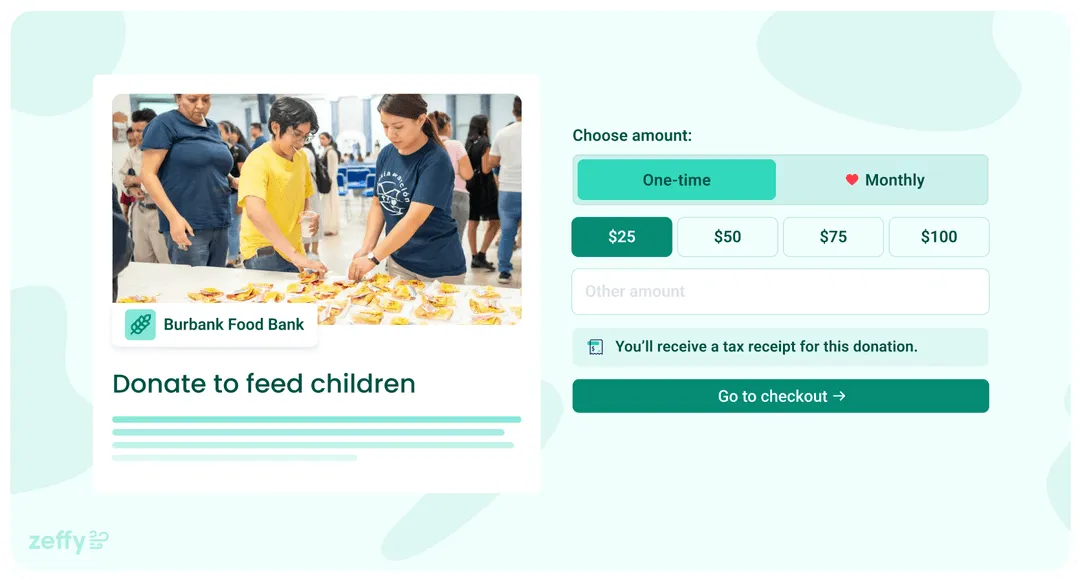
Zeffy is the only platform on this list where $10,000 raised equals $10,000 received. No platform fee, no transaction fee, no credit card fee. Ever. Donors are invited to leave an optional contribution at checkout; the nonprofit keeps 100% whether they do or not. On top of that, a real donor CRM is included free: tags, smart filters, saved segments, donor history, automated tax receipts, and donor email, all in one login alongside donation forms, ticketing, peer-to-peer, auctions, and raffles.
Pricing: $0 platform, $0 processing, $0 monthly, no contracts, no upgrade tiers.
Pros:
Unconditional $0 for the nonprofit, not a tip-funded model where fees quietly pass through.
Self-serve signup, no demo gate, no sales contract.
100K+ nonprofits, $2B+ raised.
Cons:
Registered 501(c)(3) and Canadian, UK, or Australian charities only. Not for individuals or for-profits.
For a small nonprofit: If your team is volunteer-led and you're trying to keep every dollar on mission, this is the answer. No other platform here matches both the keep-rate and the consolidation.
2. Donorbox: solid forms, but the platform fee adds up
Donorbox covers the same surface as Zeffy on donation forms, recurring giving, and events, with a wide integration ecosystem. The catch is the Standard plan's 1.75% platform fee stacked on top of Stripe's 2.2% + $0.30 processing, plus advanced features (Text-to-Give, auctions) sit behind paid Pro tiers.
Pricing: 1.75% platform fee on the Standard plan; 2.2% to 2.9% + $0.30 processing; $0 monthly on Standard, paid tiers above. Check donorbox.org for current pricing before you sign up.
Pros:
Easy self-serve signup, popular with small nonprofits.
Strong recurring donation tools and integrations.
Cons:
About $440 in processing on $10K, plus about $175 platform on Standard, before any paid upgrade.
Auctions, Text-to-Give, and advanced features cost extra each month.
For a small nonprofit: Fine for a single donation form. The moment you add events, peer-to-peer, or auctions, the bill stacks. Worth it only if you're already locked into Donorbox integrations you can't replace.
3. Give Lively: zero platform fee, but gated and narrower
Give Lively genuinely charges no platform fee, like Zeffy, but two things make the comparison uneven. Membership is gated to nonprofits the Give Lively team vets as "values-aligned," and the product surface is narrower: strong on donation pages and peer-to-peer, no native ticketing, auctions, or raffles. Donors still cover Stripe or PayPal processing at rates starting around 1.99% + $0.25, so on $10K you're still looking at $200 to $300 in fees the donor or the nonprofit absorbs.
Pricing: $0 platform; processing passed through starting around 1.99% + $0.25. Check givelively.org for current processing rates before applying.
Pros:
No platform fee.
Donation pages and peer-to-peer are solid.
Cons:
Membership application is manually reviewed; not every nonprofit gets approved.
No native ticketing, auctions, or raffles.
Lighter CRM than Donorbox or Zeffy.
For a small nonprofit: Great if you're approved and your fundraising is mostly online donations and P2P. If you run events or auctions, you'll still need a second tool.
4. GoFundMe Pro: enterprise-grade, demo-gated
GoFundMe Pro is the rebrand of Classy, rebuilt for nonprofits with dedicated fundraising staff. The Essentials tier publishes a 2.4% + $0.30 card rate; the Custom tier (for $1M+ orgs) is sold by demo with a custom contract. Real reporting and Salesforce integration are strong, but onboarding assumes a development staffer, not a volunteer.
Pricing: Essentials tier 2.4% + $0.30 processing; Custom tier subscription plus transaction fees, sold by demo. Check pro.gofundme.com for current pricing details.
Pros:
Enterprise reporting and analytics.
Salesforce-friendly for orgs already on NPSP.
Cons:
Custom tier hides pricing behind a demo and a contract.
Giving Cart, Live Events, and Salesforce sync are typically separate add-ons.
Overkill for volunteer-led teams.
For a small nonprofit: Not the right tool. The product is built for orgs above $1M with paid fundraising staff. If that isn't you, the demo will eat a week you don't have.
5. Bloomerang: a real CRM, with a subscription floor
Bloomerang is the only platform on this list that leads with donor management instead of donation forms. Segmentation, retention dashboards, and reporting are deeper than form-first tools. The trade-off is a subscription that starts around $125 per month by record count, plus roughly 1% platform on top of Stripe's 2.2% + $0.30. You're paying before a donor gives a dollar.
Pricing: Subscription starting around $125+/month based on record count, plus about 1% platform on donations and 2.2% + $0.30 Stripe processing. Check bloomerang.co for current subscription tiers.
Pros:
Real donor CRM with deep segmentation and retention reporting.
Built for orgs that want to invest in donor data.
Cons:
Subscription contract required, regardless of fundraising volume.
Events, peer-to-peer, and auctions typically come through integrations or paid add-ons.
Onboarding assumes a dedicated staffer.
For a small nonprofit: Worth it only if you already have a paid admin who will live in the CRM daily. Otherwise the monthly bill outruns what you'd save with a free, all-in-one platform. For broader options see our guide to fundraising software.
How much do you actually keep?
Here is the keep-rate math on a $10,000 campaign across the nonprofit platforms in this guide, using the low end of each platform's published fees and assuming a typical mix of about 100 gifts.
Platform
You raise
Fees lost
You keep
Zeffy
$10,000
$0
$10,000
Give Lively
$10,000
~$440 (Stripe passed through)
~$9,560
GoFundMe Pro (Essentials)
$10,000
~$570
~$9,430
Donorbox (Standard)
$10,000
~$760
~$9,240
Bloomerang
$10,000
~$320 in fees, plus $125+/mo subscription
~$9,680 before subscription
That gap, $440 to $950 lost on every $10,000 raised, is what the platforms below have actually banked. These are the verified savings figures, with each story linked to the case study.
Zeffy has changed the trajectory of our organization, we are now able to fund more orphanages, get more children adopted, and create more families around the world! — Brynne Spicer, Community Engagement Coordinator, Sacred Portion Children's Outreach (raised $187,000+ on Zeffy, saved ~$9,350 in fees)
It's a great advantage to integrate a form into your website. I think it's extremely important to minimize the number of clicks to get to the donation, because I don't want to lose my donors along the way. — Véronique, Food Banks of Quebec (network of 32 food banks serving 1,200+ local orgs; saved almost $16,000 in transaction fees after switching to Zeffy in 2020)
Four more nonprofits, four more bank balances that didn't get skimmed:
For a small nonprofit: These are not enterprise wins. Sacred Portion and Waggytail are small, mission-focused teams. The $9,350 and $3,305 they kept is exactly what their next program cycle ran on.
If you're choosing for a small or volunteer-led nonprofit, this is the short checklist. Most volunteer teams describe their current setup the same way: "we're going a million places at once," logging into one tool for donations, another for events, a spreadsheet for the donor list, a separate service for email, and a payment processor dashboard to reconcile it all. A good fundraising platform collapses that.
Ease of use. A board member or volunteer should be able to launch a donation page the same afternoon they get the login, with no training session.
Online donation processing. Cards, ACH, Apple Pay, Google Pay, all built in. Not a separate Stripe account to wire up.
Mobile giving. Most donors are on a phone. The donation flow has to feel native there, not desktop-shrunk.
Peer-to-peer. Supporters fundraise on your behalf with their own pages, included in the platform, not a paid add-on.
Donor management / CRM. Tags, segments, giving history, and automated tax receipts. If you have to export data and match it against a spreadsheet to send year-end letters, you're not on a fundraising platform. You're on a payment processor with a form on top.
Integrations. At minimum, an export to whatever accounting tool your treasurer uses, plus email marketing if it isn't built in.
Automatic tax receipts. IRS-compliant, sent the second the gift clears. Not something a volunteer mails in January.
For a small nonprofit: If a platform forces you to keep using a separate email tool, a separate event tool, and a separate spreadsheet for donor records, it's not solving the problem you actually have. Consolidation is the lever, not feature count.
How to choose the right fundraising site
Most "how to choose" frameworks bury you in 14 criteria. Two questions decide it.
Step 1: Clarify your goals. What campaign types do you actually run (one-off donation form, recurring giving, events, peer-to-peer, auctions)? What donor data and reporting do you need? Roughly how much will you raise this year? Who on your team needs a login?
Step 2: Review against five levers, in this order.
1.Keep-rate. What dollar reaches your bank account on $10,000 raised? Look at the actual fees, including processing. If your strict priority is keeping every dollar, Zeffy is the only $0 answer here.
2.Speed to launch. Self-serve signup with no demo? Zeffy and Donorbox clear this. Give Lively requires manual approval. GoFundMe Pro Custom is demo-gated.
3.Payout speed. Most platforms now deposit on a 2 to 7 day rolling schedule. Confirm before you commit to a campaign with vendor deadlines.
4.Donor experience. Mobile-first, few clicks, no surprise tip-prompt confusion. The fewer the steps, the higher the completion rate.
5.Reporting and CRM. Are tags, segments, giving history, and receipts in the box? If yes (Zeffy, Donorbox, Bloomerang), one login replaces several. If no, you're stacking tools.
For a small nonprofit: If a platform fails the keep-rate test or the consolidation test, it's the wrong tool for you, no matter how polished the demo. Score every option against those two first.
Best fundraising sites for individuals: quick-start guide
Not every fundraiser runs through a nonprofit. If you're raising money as an individual, the right platform depends on what you're raising for. Here's the short map by use case.
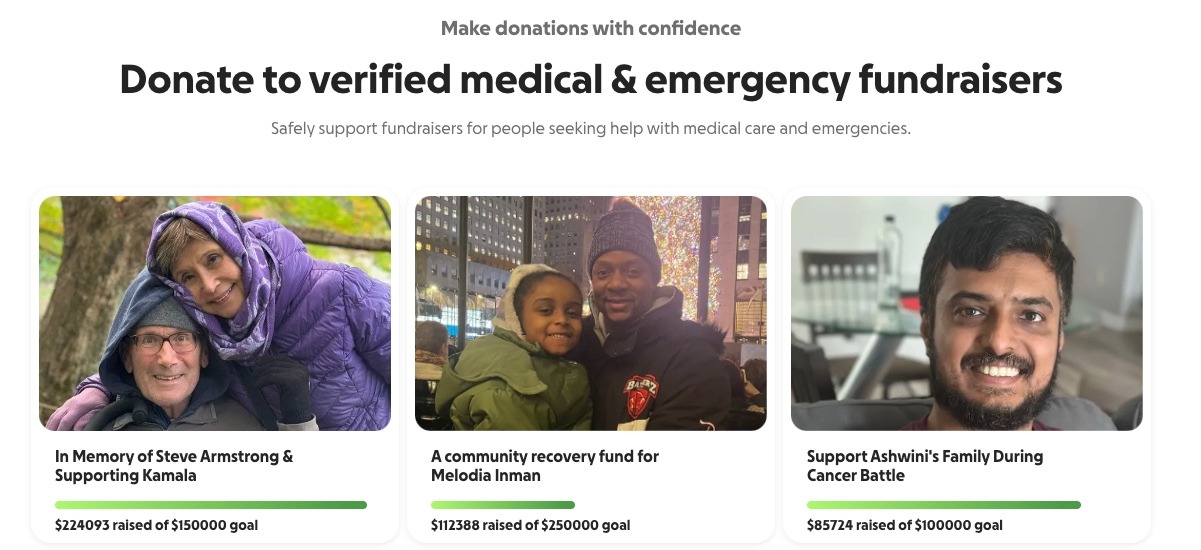
GoFundMe - Medical bills or personal emergency
GoFundMe is the default for a reason. Donors recognize the name, and that recognition converts. Fees are 2.9% + $0.30 per donation on personal campaigns, plus an optional donor tip at checkout. The brand trust is the real product here, and it outweighs the fee difference versus lesser-known platforms.
GoGetFunding - Community cause or local campaign
GoGetFunding is a flexible, internationally available option for community and cause-based campaigns. It charges a 4% platform fee plus 2.9% + $0.30 payment processing, roughly 6.9% all-in, and unlike GoFundMe there is no platform tip at checkout. FreeFunder positions itself as a low-fee alternative for cause-driven personal fundraisers. Both are worth a direct comparison on fees before you commit, since rates can change.
Kickstarter - Creative project or product launch
Kickstarter is the right category here. The platform takes a 5% fee plus 3% to 5% in processing per pledge. The all-or-nothing rule applies: if you don't hit your goal, no funds are released. That structure works well for creative projects where a funding threshold actually matters.
Zeffy - Fundraising on behalf of a nonprofit
Use Zeffy only if the nonprofit you're supporting is already registered on Zeffy. If they are, you can run a peer-to-peer page at $0 fees. If they aren't, run your individual page through whatever platform that nonprofit uses directly.
For an individual: Pick by donor trust, not by fee. A platform nobody has heard of will raise less than GoFundMe charging 2.9%, because conversion is the whole game when you're asking a network you didn't build.
The bottom line
For nonprofits, the answer is Zeffy. It's the only platform on this list where $10,000 raised equals $10,000 received, with a real donor CRM and the rest of the toolkit (ticketing, peer-to-peer, auctions, raffles, email) consolidated into one free login. Six real nonprofits in this guide have collectively kept roughly $31,000 in fees that would otherwise be gone.
For individuals, the answer is GoFundMe. It's the platform donors recognize, and recognition converts.
In practice the words are used interchangeably. "Fundraising site" usually points at a single donation page or crowdfunding URL (GoFundMe, Kickstarter). "Fundraising platform" usually implies the broader toolkit: donor records, recurring giving, events, peer-to-peer, reporting. Most search traffic for "best fundraising sites" actually wants the platform-grade answer, which is why this guide ranks both kinds together.
Zeffy. No platform fee, no transaction fee, no credit card fee, ever. Every other site on this list charges either a platform percentage, a payment processing percentage, a monthly subscription, or some combination. On $10,000 raised, that gap is $440 to $950.
Zeffy is the only platform here where the nonprofit pays $0 unconditionally. "Free" elsewhere usually means free of a platform fee while processing fees (typically 2.2% to 2.9% + $0.30) still pass through, paid by either the nonprofit or the donor. Donors are invited to leave an optional contribution at checkout on Zeffy; the nonprofit keeps 100% whether they do or not.
GoFundMe is usually the best fundraising site for individuals. It's easy to launch, widely trusted, and the donor recognition lifts conversion enough to outweigh the 2.9% + $0.30 processing fee for most personal campaigns.
For a registered nonprofit, Zeffy is the only no-fee alternative. For an individual, there is no truly no-fee alternative because every other personal crowdfunding site still passes payment processing fees through. See more options in our guide to free fundraising platforms.
Zeffy, because it takes none. After that, Give Lively (0% platform, about 2.2% processing passed through) and GoFundMe verified-charity (2.2% + $0.30) sit on the low end of the paid options.
Zeffy. The combination of $0 fees, a real free donor CRM with tags and segments, and an all-in-one product surface (donations, ticketing, peer-to-peer, auctions, raffles, email) in one login is the right fit for a volunteer-led team. There is no subscription floor and no upgrade tier, so the bill never grows as your fundraising does.
Look for people who attend related events, follow relevant Facebook groups, or subscribe to aligned newsletters.These aren’t just potential donors—they’re your future advocates.
Look for people who attend related events, follow relevant Facebook groups, or subscribe to aligned newsletters.These aren’t just potential donors—they’re your future advocates.






.webp)

